
Hello everyone! I was stupefied, wondering how it could possibly be time again for another month in review. That was until I realized I was 1 week late last month. My boss should fire me.
Yet, here I stand, primed and ready for another month to review for you.
Started the month in the footprint of last month’s mir, I kept them secrets so I could share them with you, today.
We began with some graphic design!
I am a multimedia producer by craft and it was a real pleasure getting to just sit down and talk design. On the docket? GS_Play logo and branding.
The spec: Genome Studios is a game, and tech studio. We have a timeless brand that stays subtle but iconic and lets it’s products colours and identity shine through. GS_Play, our O3DE gameplay framework is a powerful and capable game production tool that gets you, the client, to the actual good parts of game dev. The Play.
Game dev is fun, making fun and compelling experiences is playful and informal. How do we capture the clean and controlled aspect of GS as a provider of this tool, while letting loose and allowing more energetic and organic identity through?
Well we gotta try something.
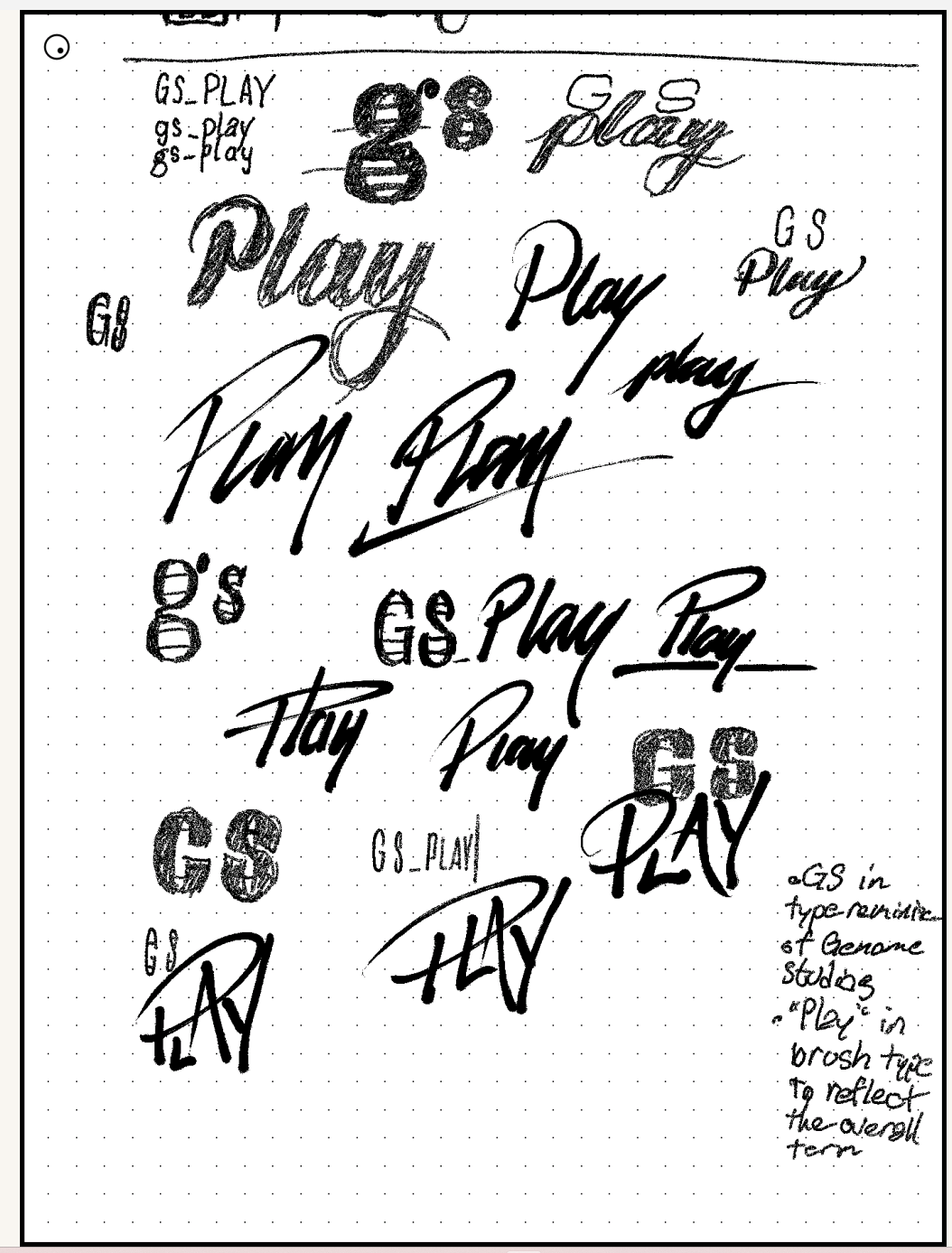
I’ve had the great fortune to be able to work with a long time colleague of mine: Valerie Giffin, the original creator of the classic “Gelix” Genome Studios logo, 16 years ago. We were babies then, now? Cold-blooded professionals. Gross.
So begins the process. Many great ideas fall into place, but some fall into place-er, and you get your target.
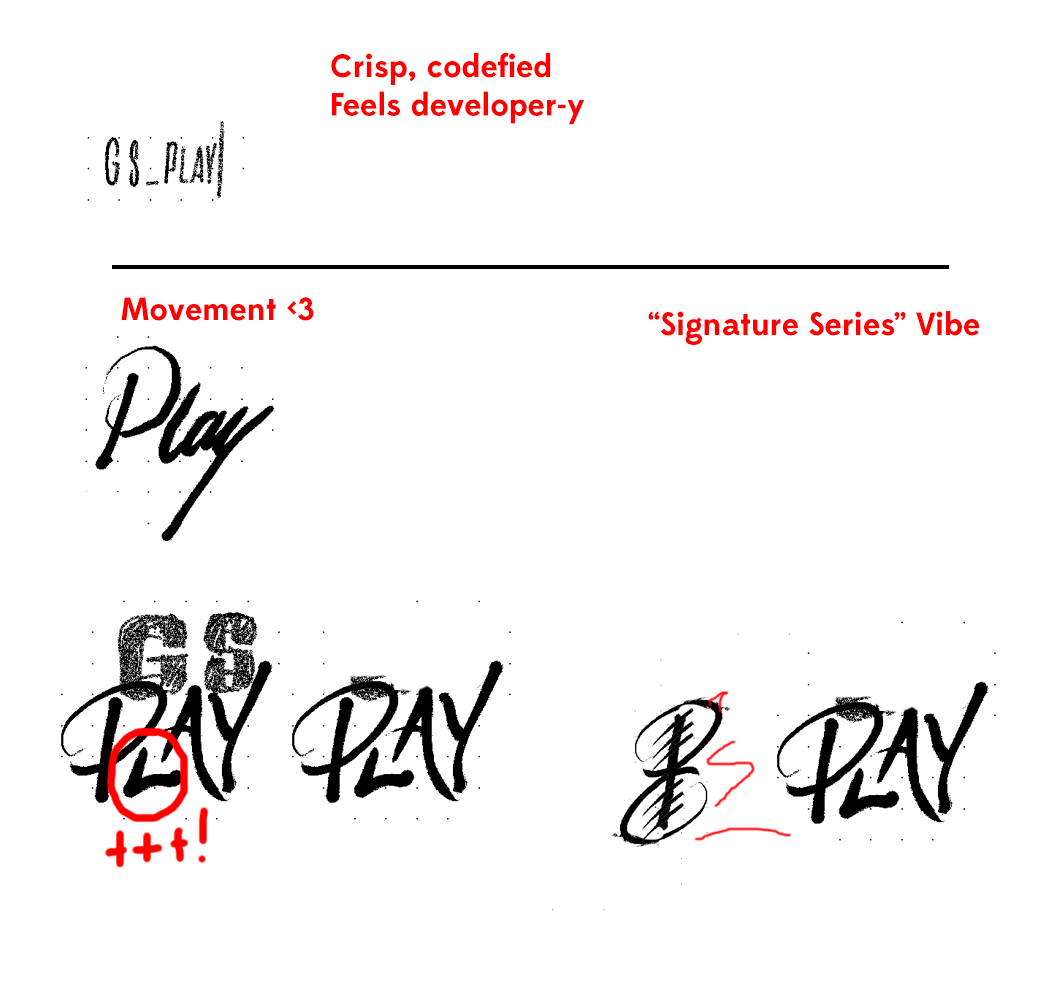
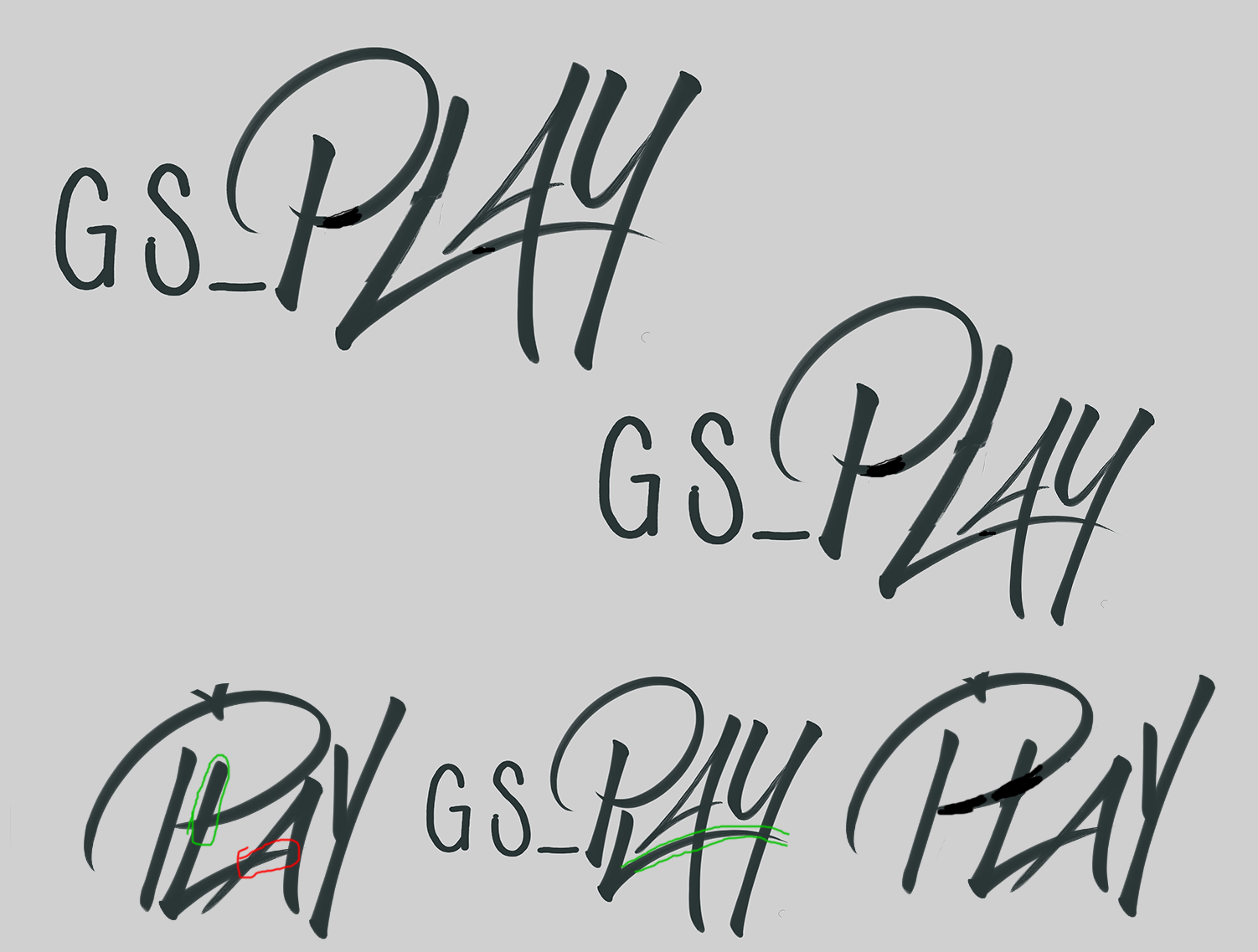
Immediately, the energy in the handwritten characters shines through. While there’s the idea of structure in the GS part, that piece falls to the wayside while we try and find what about the PLAY works so well. The bounciness of the Low L and the high A. the nice energy and follow through behind the characters.
We get even further into it and land with an awesome underline that really carries the energy through the whole image.
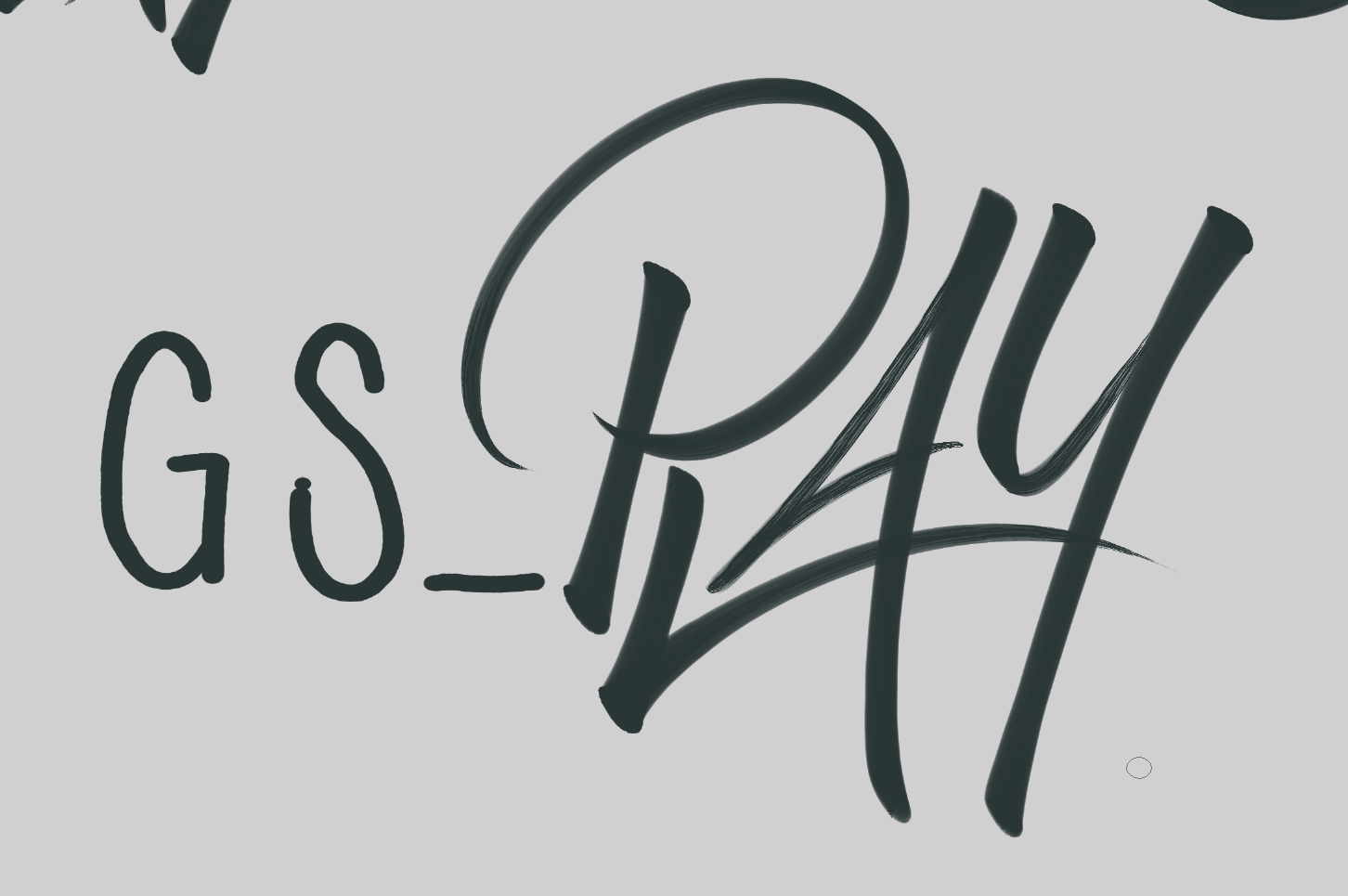
But with user feedback, we realize that the lettering, depending on where your eye catches it, comes out as PAY or RAY.
So obviously we go with our new business venture. The brand new Creditcard Company: GS_PAY
Nothing comes in one go, so I return back to the studio happenings…
The start of the month was a complete jumble. I was incredibly tired, definitely in the realm of burning out. But hey, what’s a little burnout between friends?
Got back to tackling a handful of 1000 papercuts on their way out.
With Gradient Editor. There were a few small things I felt were almost there; they could have been allowed through with little fuss, but it would have been “not quite there,” so I muscled through. The big baddie was that MOST of the actions you did would undo, but there was one specific action that wouldn’t undo, and when you’d hit it, you just couldn’t undo ever again until you did a new action that’d actually save as an undo step.
Done and gone! And later in the month, it was merged in! We’ve got Gradient Editor now!
Window tabbing was another one that was literally holding onto the bar of the gate, just not through yet. The windows would appear, and the windows could now tab, allowing you to tab between features and back to the editor main window. A weird thing that just wasn’t in place before. But the names of the windows were ALL “O3DE Editor”, so while navigation was easier, you couldn’t, from a quick glance, tell which window you’d be selecting, other than to alt-tab and look at the picture of the window.
Done and gone.
And lastly, a really sinister one. Inspector window behaviour improvements and consistencies. This one I had been chipping at, but was just not coming all together at once. Tabbing between fields would select unseen elements in the general ui and take one or two tab steps to get to the next input field. Selecting a field and then clicking undo would step back some random undo step that was unrelated to the field input. Esc would apply whatever middling edit you may have made, where you often want to Esc to step out of something you may not have wanted to commit to… Some fields wouldn’t tab to the next, and instead just go back and forth between them… All things to wipe out and get going.
All in all, they are things I’m so happy to get done and past us. They are so small and usually ignorable, but they are the things that don’t look good to newcomers and should be scrubbed out forevermore.
So like every beginning of the month, I had to take account… of some accounting.
Had to tackle some final Accounting submission work. I needed to scour every day for the ratio of each month I spent on research-like tasks versus basic work that is not redeemable. Up till now, it was vaguities saying I did research-like work at all. Now I had to actually describe exactly how much, when… yikes…
Meanwhile, between gobbing fish breaths of fatigue.
I spent some cycles doing more QA for our top secret ultra awesome super cool totally secret project! You didn’t think I wasn’t going to mention it, did you?
It’s getting more refined, bugs are clearing out, and we’re getting it closer and closer to completely regular daily use. Great signs that we’re on the tail end of the project, but like I allude to in my Trust Me Bro presentation, you’re not done until you’re done, done, done, done. If you think you’re done, you’ve only just started…
And you can certainly believe we’ve got lots still to do with it.
Finally I got to return to Camera work!
So, as we have been priming GS_Play for the big leagues, an alpha stage release, we’ve been making big hard choices about what to actually tackle to bring ourselves to an MVP. There is lots and lots and lots that can be put in, and the toolset only has space to grow. However, when imagining first clients, and an eventual user base regularly using our tools, we need to consider what we’re expecting people to understand and utilize as they get slowly more familiar with the tooling and start really reaching into their production, using it as a backbone for their work.
From this perspective, it’s incredibly important that the first major updates that come down the line don’t ‘completely’ fundamentally change what we laid out for them in the past, nor completely change the foundation of understanding they may have built about using the tools.
Yes, things will change and improve, but we can’t pull a rug-pull with basic necessities.
And so. I had to make some major architectural implementations for cameras, as this particular feature I worked on adds a great deal of conceptual complexity that should be there from the ground floor as people learn how to use it. It’s easily opt-outable, but basic beats are there and part of the mix forevermore.
Okay, shh, what did you actually do?
Camera rig instancing.
So then I did some other things…
No, I’ll tell you about it, just kidding.
A lot of assumptions get made about video games and video game tooling. An incredibly easy one is that there will be 1 player character and 1 camera. A simple notion, and easily made, as very likely that is actually the case.
However, things begin to break down when you start considering the kind of games out there you can build. Easy start: split-screen coop. How then, do you know to make cameras do two different things, or which camera is the one in the middle of this detector?
Camera Rig Instancing.
Or how about those kill cam shots where you’re exploding someone’s brains in slow motion? One cam still, but now two rigs. One with the player, and one locked to the target.
Instancing.
Mario Party? 1-cam full group play. 2-cam, 3 v 1 play; 2 v 2 play. 4-cam free for all.
Most importantly. ALL IN THE SAME GAME.
Instancing… and actually DE-instancing.
Dota 2 replay camera controller?
Player piloted Free look, cinematic action cam rig jumping around the game to exciting things, 10 player camera replay setups…
Maybe not actually 15 camera rig instances. But.
CAMERA RIG INSTANCES
There are so many little factors that go into something like this. You need to now handle nearly everything about cameras with IDs to differentiate sending commands, handling things like camera change fields.
You need to figure out things that need to be filtered. How do you make one field ONLY affect player 4, and therefore camera instance 4?
Then there’s the “affects all, but treats every target uniquely”. You have a nice top-down camera tracking characters, but it looks to YOURS from your screen… well, now you need to make 4 duplicates of the camera and tell each one they are only responsible for player 1, 2, 3…
Now what about asymmetrical gameplay? Dead By Daylight style: you have 4 survivors in 3rd person, and a slasher in 1st person. Now you need to define unique rigs per instance. Might as well do a default rig then too…
Now what about a sudden change from split screen to a focal cinematic moment? Disable cameras and enable cameras, or how do you make a procedural camera getting spawned into the game target your split screen image outputs?
So therefore, it’s very important that these things get tackled, at least as a first prototype that can be improved over time. Which can fall back onto defaults that end up resulting in a 1-player, 1-cam situation.
Want bigger and badder? Just start dipping into the advanced features. But you can always know now that one of the beats of production is to determine your camera configuration, whatever it may be. That it’s not a sudden surprise 1 1/2 years into your production with the incoming new GS_Play that has that one feature you desperately need.
Dry, and complex, but really meaningful flags to plant.
But working on important GS things was actually procrastinating. Bad Gaian.
My real duties is to do as much free work and give away as much of my time as possible, and I was coming significantly due for some selflessness. Getting work done? How conceited of me.
May is Alberta Slow Jam time! This year, the 4th annual.
We were one volunteer down, and boy, was it a particular someone who shouldered quite a lot of things. Organization, orchestration, and MC’ing. And as such, we had to pick up the slack.
Organizing something like this is fairly straightforward, but it is nice to offer a little extra to make it a bit more of a vibrant experience. Lots of jams have voting and day-to-day activities… lots of little things. None of it comes from magic, so we had to pick times and dates, pick the theme and diversifiers to mix things up. We had to create an announcement presentation, book some local meeting time, promote the event, set up forms and voting and on and on.
I was tasked in part to make the announcement video. When I’ve got it in me to be sociable and charming, I’ve got it in me… otherwise, I drag and drag and dread and dread. Those of you that know me in person might find me fairly charismatic, which I count as a blessing. But the hard truth is that it uses a LOT of gas, and when I’m already running on fumes, to hop and bop in fun and playfulness is really quite an undertaking.
Add onto that a complex telephone game of exchanging keys, taking on thousands of dollars of liability, and co-ordinating local on-site work time, and you’ve got ME done, done, done… If only it were our projects…
BUT I DID IT.
Alberta Slow Jam 4 was coordinated and announced!
ASJ is wrapping up at the end of the week, and we’ll (I) be doing a final wrap-up showcase presentation June 6th! Definitely come on by and check out the games that were jammed!
And then the networking dawned… Networking of the Dead…
I don’t know. I’m being dramatic.
Meet to Match login information dropped and it’s time to strike. Gotta get your foot in the door, put your best foot forward, get a strong footing, and get your foot out there.
So I did. I grilled my company profile, personal profile, set up GS_Play as a product, and Genome Studios as a service provider. I brought together logos to look pleasing in the portal, and got things tuned as nicely as I could.
For a couple days over that first week, I stepped in, curated possible contacts and watched profiles and projects slowly surface in a sea of otherwise blank names and companies. Feeling pretty good.
But then also feeling so tired, vulnerable, and doubtful…
This month I had made a change in my medication, and the wonderful improvements to my wellbeing were overwhelming fatigue and apathy. Key ingredients for high-performance studio foundry and business growth efforts while under a deadline.
Yeah… not at all.
And there’s one thing that I cannot theorize out of. My own “Trust Me Bro” doesn’t end until we actually have visibly compelling work that argues the strength and capability of our studio, work, and products without speaking a word… and as I’ve alluded to above, we are not there yet. WELL INTO IT. But not there yet…
And that truth is exacerbated so deeply when you now have to approach strangers that owe you nothing, have limited time, and are being clawed at by a massive ratio of OTHER studios and service providers ALSO wanting to build their own success and opportunities at the same time.
Worst of all, as a “service provider” and not a “studio making a game looking for a publisher”, the availability/access is astronomically thinned. You have niche services and positioning. Your product is work towards ,the future… Most everyone else is coming with “I have money and I’m looking for a sure thing that has no risk“, or “I have a game that I need you to risk on.”… where a service provider rests in that dynamic is mercurial and contextually divergent.
I was passed a nice little guide on how to orient yourself in these sorts of networking scenarios, which was good. Mostly validating, but with some good little details that refine my sense of place.
Service Providers? Yeah… good luck…
Morale Boosting.
So to make myself feel better, I counted every days hours for the whole year to prove that I should get research and development funding!
Yeah, that level of scrutiny is really stressful, cuz some days are a total wash, while others are like 14-hour days… When you know you’re going to be scrutinized by this for your R&D funding application, every day that WASN’T a 14-hour day feels like a black mark. How can you pretend you want to succeed and have a company with healthy work-life balance and human-centric accommodation of its developers if you don’t work 16 hours a day, 7 days a week, 365? Clearly I’m not committed enough to that vision.
Wrapped that up and got it through. With that final pass, I had the entire year logged and ready for submission. I am certainly very intrigued to see what we can come up with and get going for Genome Studios in the future here.
It would truly be so cool to actually have funds in GS coffers to handle things like legal without me-myself having to fork it out of my very meagre personal funds.
In much nicer terms, we got to chip some more at the GS_Play logo!
Okay, so not GS_Pay… We have to do something different. There are nice pieces, love the energy, but it’s not legible. We just can’t get it going as is. So we try breaking it apart. See how we can get the same form but with clear letters and read…
Ah… Let’s try to isolate the calligraphy better.
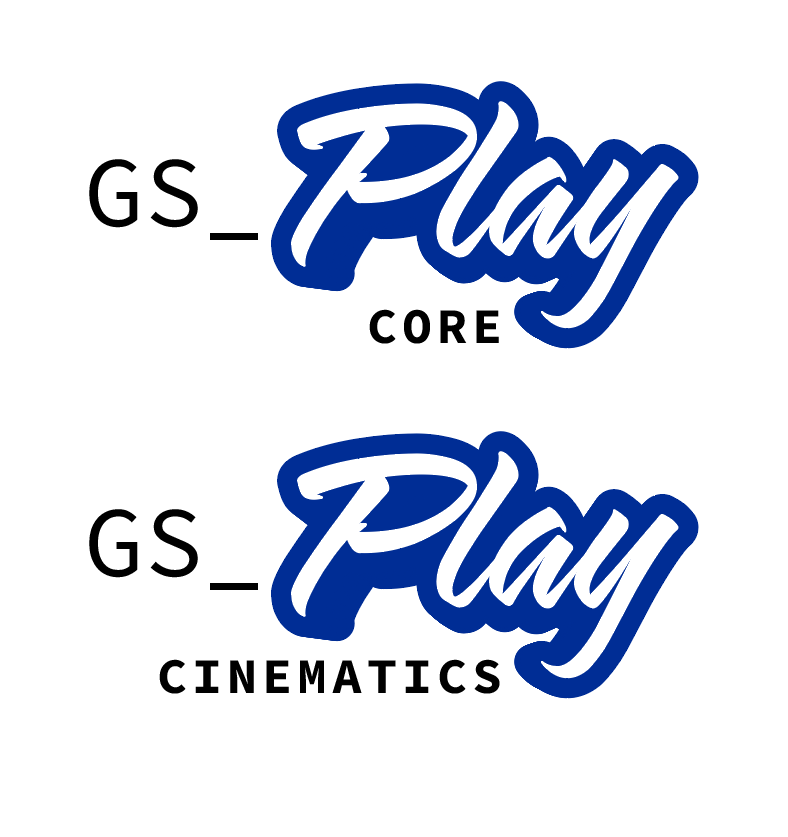
We got some solid framing, the Play is far more legible. The GS and subtitle is being carried far better.
But maybe we just make it one solid cohesive thing. Drop the Company-Play segmentation.
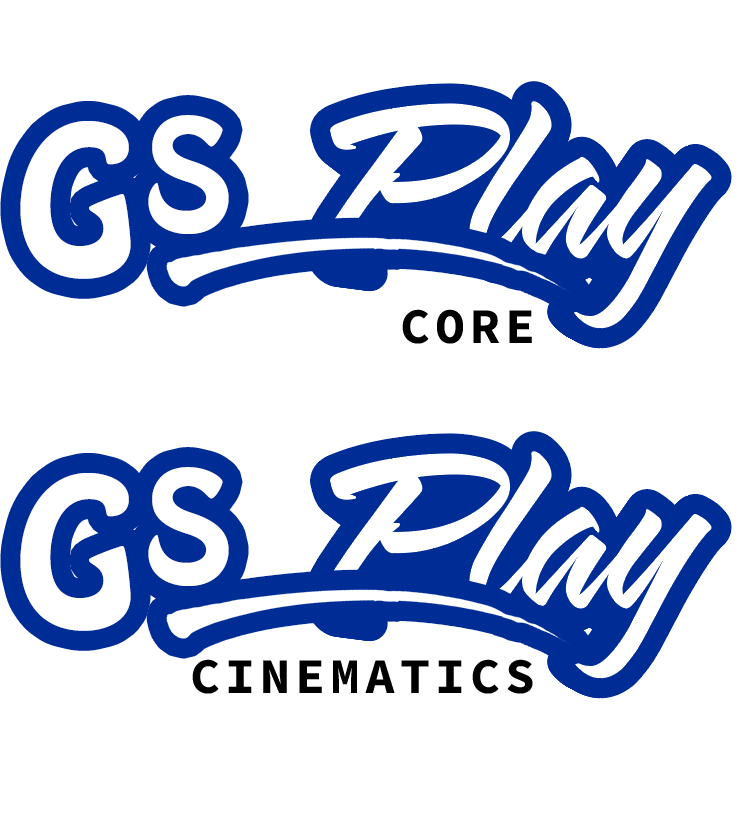
Well… since we’ve pivoted and made GS_Play into a sports ball making toolset we should lean into our vintage ball team cap design.
Okay, but more seriously, the calligraphy being more consistent and legible is looking far better, and we should consider rolling with it but finding a more precise implementation.
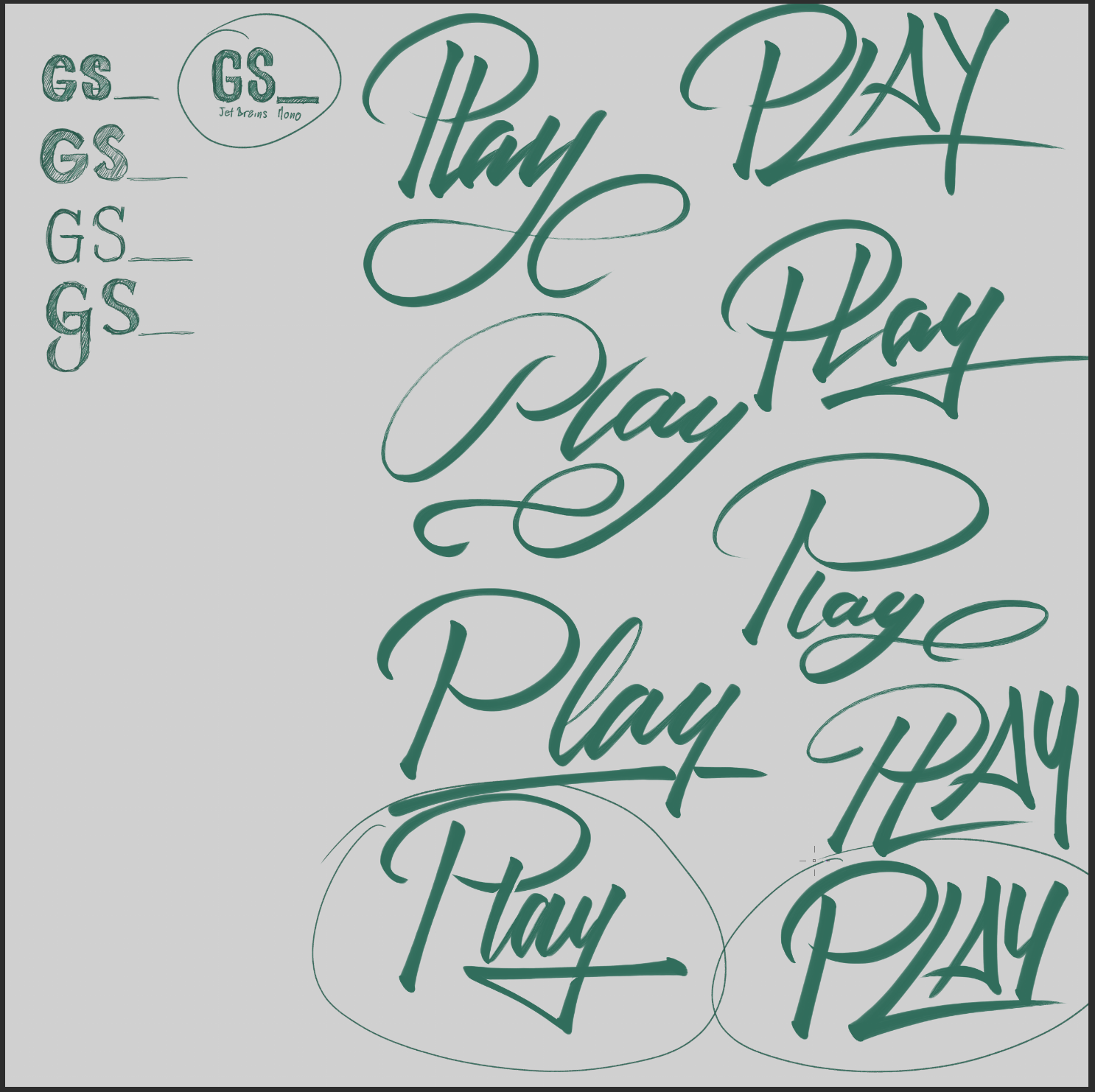
Some cool options again, and like before, some just stood out as striking above the rest… not making a baseball pun…
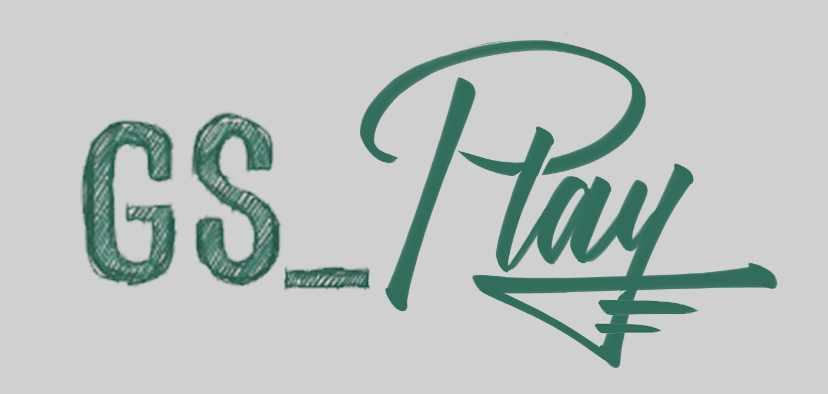
We finally pinned down one that’s legible, has a lot of energy, restored the nice underline. We even got the opportunity to add a bit of the genome flair with the additional crosslines in the Y.
This is looking really cool and way more together than we’d gotten so far.
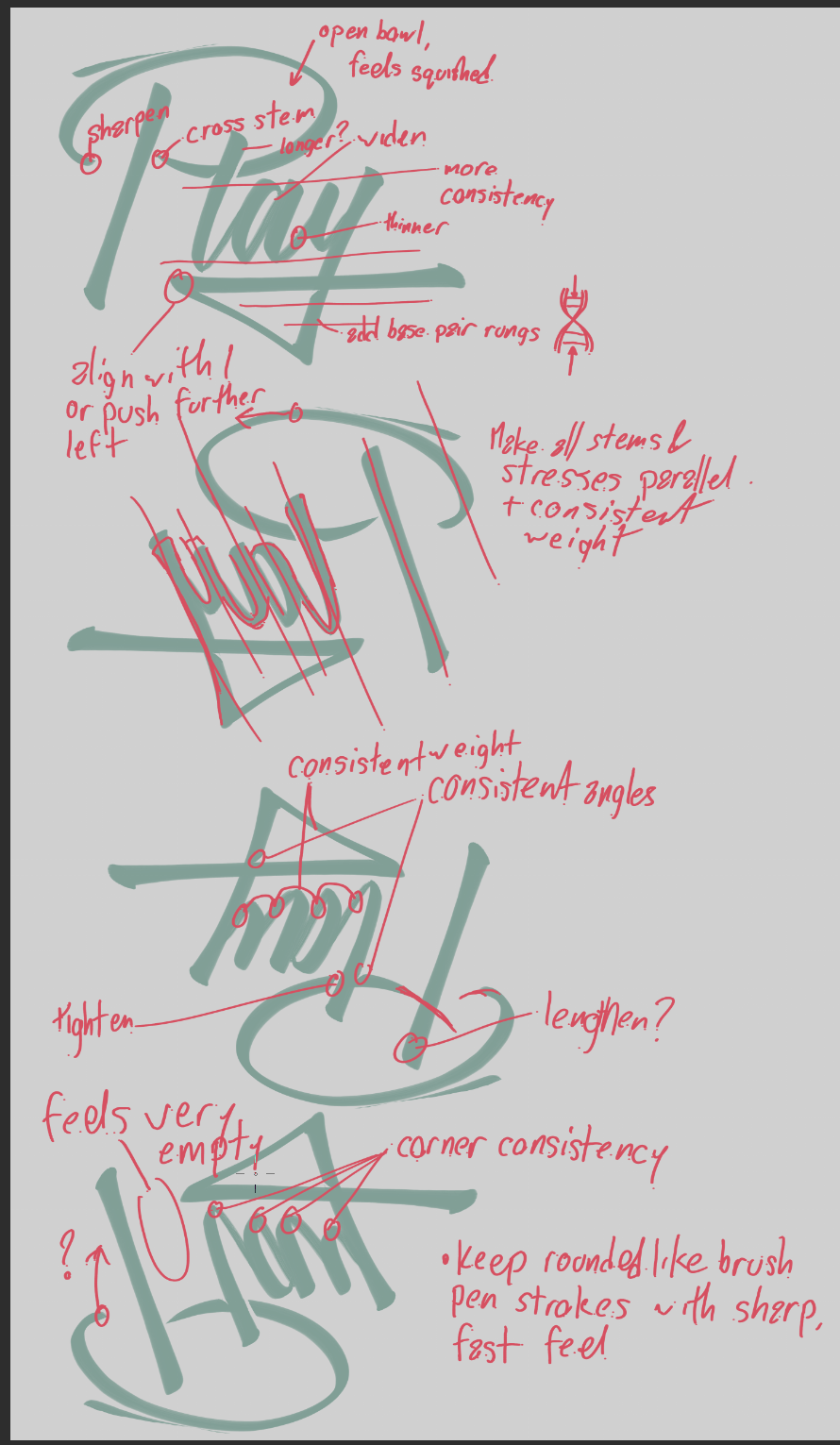
Now it’s just a matter of really fleshing it out and bringing it all together at once.
Back to cameras with a pretty advanced piece.
Camera position inheritance.
Then I moved on to…
Got’cha again. Camera inheritance is the process of determining: “Despite where the new camera may be currently positioned, we’re going to see if we can bring it as close to your current camera before we start blending towards it.”
This is so that, in the scattered chaos of dozens of cameras running and working on or behind the scenes, we have a means to try and make it so the transitions feel as fluid and smooth as possible. There are easily instances where a camera can be last positioned completely 180 from your current one, which makes the camera fly through your characters head, while swiveling completely 180. A massively disorienting experience, and pretty well nothing a developer would ever want to utilize.
Solving this is not simple, though. When working with orbiting cameras, you can’t just place the camera where the last one was. You’re stuck to radius distances, height limits. Lots of cameras are locked to a target, and now with our rig instancing, we can have cameras locked to different targets. It’s a big mess.
So there are some key things. How do you want to solve the positioning? There’s linear, just go towards the thing; then there’s cyllindrical, swing around the target on a swivel to get as close as you can; and lastly is spherical, swivel and pitch towards it on a sphere, which includes height in the mix.
This ended up bleeding out into the actual base blending system as well, which was a nice side effect.
After that got solved it was then a matter of building up full support for the functionality. You have to now play it against all the different types of cameras we have so far, identify where you set the “inherits from” and “solver type” in the system, and test test test.
These were such fundamental features and are needed for any serious business camera work, so I was deeply happy to get them in. It really brings the camera system to a far more complete, and competent level.
Which leads us…
In to the Documentation Mines…
As a consumer, good documentation can make or break your ability to use a tool, and can even turn someone away from even getting your tool in the first place. If there’s no making sense of what is going on, how are you supposed to use the tool. And with that, why would you shell out $100 dollars for it when it’ll probably be a paperweight?
Ample ample justification to put a lot of effort into the documentation. Make it rich, make it full of pictures and examples… Really take it all the way.
BUT DOING IT SUUUUUUUUCKS.
Ugh, it’s so dry, so tedious. You JUST spent however long DOING the work. Going over it, testing it over and over… the last thing you want to do is read and write about it, find where things changed, where things stayed the same. See that your screenshots are dated now, see that your diagram of using the thing is completely different now…
It’s a necessary sacrifice, but aaaaaaaa. I want to do the work right, but aaaaaaa…. Why can’t I just be a trust me bro and have people just buy my tool and use my documentation as is? Trust me, it’s really good, I swear. You don’t need to know through the documentation, you’ll just know by osmosis…
All the while. Feature development, documentation development, feeling like we’re getting nowhere because we STILL don’t have those show-off materials that would really get people itching to use our tools.
So, to those ends..
We decided to game jam, no better way to get something to show off.
Alberta Slow Jam was coming up the Friday, we were going to get back to work on the Monday. Why not set forth to just jam out a little something? Actually use some character models and art, get some assets in, and actually try to make something beyond bare minimum prototypes with our tools!
It’s also a nice opportunity to blow off some steam and be a little less serious about hard and fast work.
Shauna was on board. We were going to pause our hardcore efforts and just see what we can do with our tools, and fill in any gaps coming up as we do it.
Off to the infrastructure failure races!
So let me preface this by saying: I have no idea how Linux works. I have the misfortune of being a Windows baby, and the effort to migrate away has been too daunting for me to make the switch, despite really wanting to.
Due to this, and the fact I’ve only been using my server build tooling in Windows, SO MANY issues arose in using Linux for O3DE and GS_Play features.
SO… MANY… ISSUES…
The most heinous of them all was that building our custom O3DE builds was stripping all the file metadata that was necessary for Linux to use the built engine. Passing it through a shared folder was destroying whatever else remained.
This ended up driving a need to make this complex map of files and their metadata BEFORE building, so that after it’s been deployed and our user finally syncs the engine on their local computer, they also get this index of files and their permissions and metadata, and then have to restore them all on demand.
What a complex mess. And one that rests squarely on the build system, meaning I had to do hour-and-a-half rebuilds over and over and over to get it to eventually work. So much time spent waiting, then finding out it didn’t work.
At least, in the meantime, I got “Switch” into the game, so we can play around and do some platforming and puzzle gameplay!
All using GS_Play movement and the new cameras!
Meanwhile I began more design work with a different designer, this time top secret!
Nothing I can detail to any great depth, but we managed to get in contact with a really capable designer to help us do some more design things, for super top secret reasons!
Very excited to get that going, and I look forward to seeing what she manages to get going!
Now that I had that out of the way, I was able to not do any networking at all.
Like none. I just keep watching Genome Studios, which is on the last page in the entire company catalogue, fall to a growing number of pages… 3, to 4, to 7… Game studio with a game after game studio with a game come online… Descriptions in company profiles that are like: “Don’t talk to us unless you have a game ready for market.” “No Service Providers k thx bai.”
My fatigue just utterly crushing my spirit…
So to pivot, and get back to the jam part of the jam..
I did more infrastructure work. The obvious next step, once we had a character able to run around, was to make a world to run around in. Good thing, I have tons of assets to tackle exactly that. Awesome.
Except I fall back to the same problem I keep falling into. Converting 600 assets from some pack would take me an eternity to: take one at a time, create new materials value by value, and add textures to those materials. Create a new entity, add the mesh, the materials, set it as a prefab, find the prefabs folder, save… and do again…
Literally ANY work that would be spent on that should be spent solving this as an issue altogether and never have to worry about it again…
Thus we enter the Unity to O3DE Converter.
I covered working on this in past months. It laid dormant for a while while I returned to other, more pressing systemic work. Assets are great, but if you have no gameplay or production tools, then they are just arbitrary pieces of art.
Until now, I was treating it as a rough-and-tumble brute-force utility to just smash out the output needed and get on my way. However, that is simply not working. Solving needs are getting more and more complicated, the possible things that drive variance in the output are becoming more and more plentiful… I need to take a drastic look at what I’ve got and what I actually need. No more throwaway, do it quick, passes.
So I fell back on what I didn’t want to have to consider.
Converting this whole process into a Project. As in, a conversion project that has stages and settings, editor windows, a database, saving and loading and the works.
A project file, processors… It goes on and on.
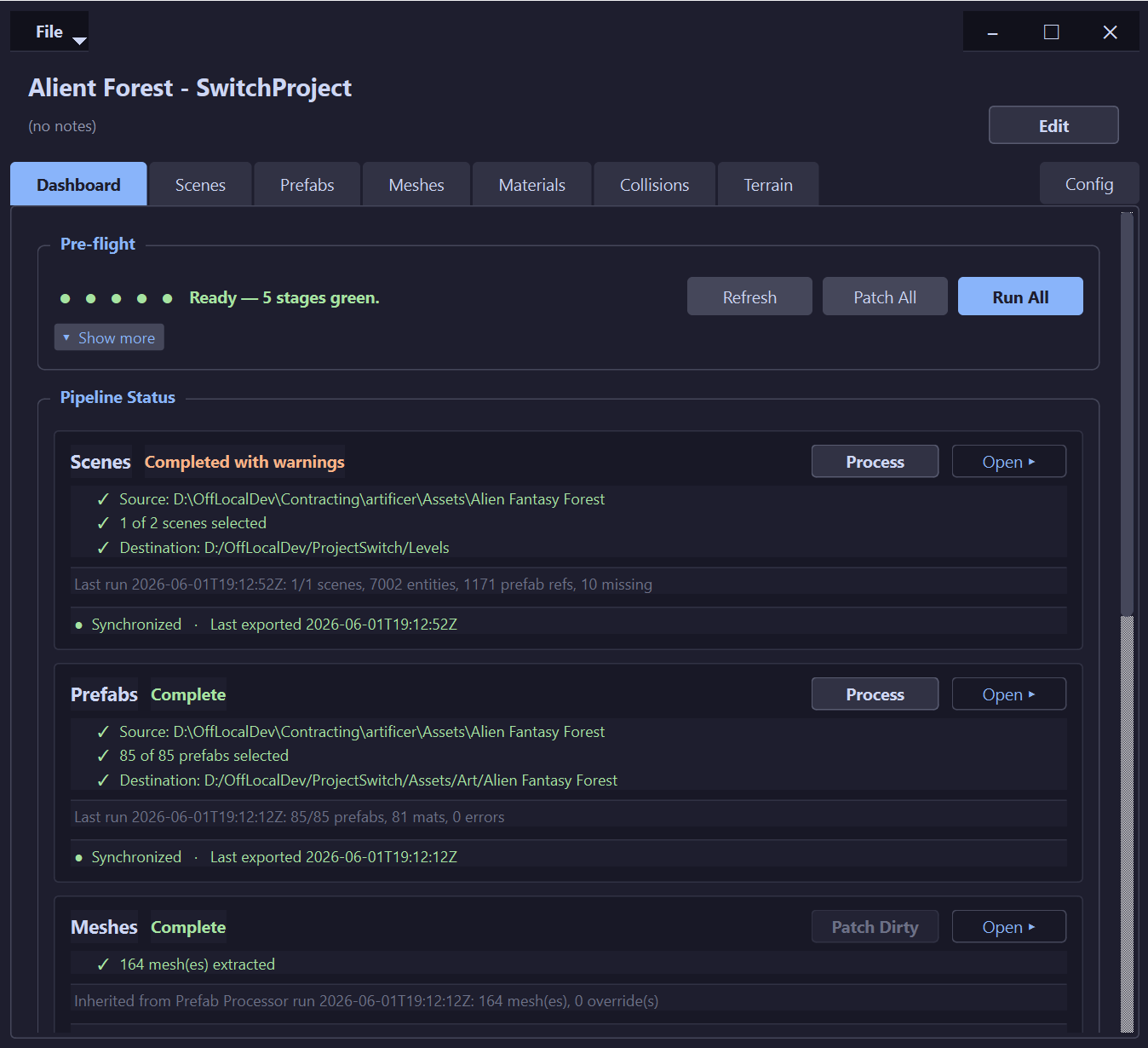
And it actually turned out amazingly!
The screenshot above is the end result, but the actual processes I slowly got together and logically broken down ended up making the work significantly more intuitive, capable, and expansive.
So much so that I actually ended up posting it to share on O3DE’s community Discord.
The concept is now, because you have a conversion project, you can lay more concrete roots and take care in ferrying the conversion through.
You set a root source folder, allowing the ability to scope your work to a Unity project or asset pack. You then have a dashboard that shows you the status of all the different steps and conversion features. Some are mandatory, others are optional, and you can control any of the stages manually or as a massive bulk generation pass.
It now stores all the paths and destination folders, it has a database of all the generated files and their status relative to the output.
And then I exposed an enormous number of tabs to break down the giant single generation pass into more granular control you can do to handle nuanced outputs, as well as patch and override pieces that didn’t fall in place through default means.
This got things going WAY smoother. Less deleting a massive folder of GB of files to just generate them all again with a slight change. Less hidden things and assumptions under the hood that you have no control over tuning.
I even tackled one source code change in the engine I needed to get setting ALL of a prefab’s materials working, every time. Though that hasn’t been merged in yet.
This got our assets actually working pretty well!
In order to get back to the jamming, I decided to do a fan request and work on the converter some more.
Yeah, why work on your jam while doing a game jam?
The thing that kept coming up was that if I was doing a Unity converter, what if I made other converters for people? My answer was always, let’s start with Unity to build the language of what O3DE needs to bring in assets, then anyone motivated to do it can just take that model and figure out where other engines meet.
So, as these features got more rich and capable. As the actual outputs started being stable, it became clear that I could probably scope the processes I’ve already put together and just wrap them in a “This is for a Unity sources project.” layer.
And that, in fact, did it. The converter is now “To -> O3DE Project Converter“, with a toggleable list of possible sources, Unity being the one developed extensively and setting the precedence for how the staged processes work.
Anyone can now take on the mantle of setting up a new source and build off of the Unity tooling to make their own.
And it’s become a really cool system, works well, and is only getting better.
Why work on your jam when you can infra?
Because the moment I started working on bringing the assets in, I realized they were all missing their mesh colliders. A complex process of PhysX importer steps in the FBX settings.
So I had to continue with the converter to get mesh colliders outputting.
And enable the ability to strip LOD’s because every prefab had 40 children all active at once…
And some asset packs are way more a mess than others, and proper positional conversion is worth bringing together to actually allow complex-shaped prefabs to actually work…
And on and on and on.
Finally, we were able to begin…
..fixing the infrastructure so we could start jamming!
I was finally fussing out the last lingering files here and there that were failing to attain their linux meta data back. Had to do more logging and reporting during the build pipeline. Add more logging and reporting to my synchronization tool.
Had to update our engine instance manager to wipe out 100 GB of old engine versions. Then fix a bunch of issues where it was failing to update the manifest data for syncing.
Then finally rebuild new builds of the editor with the new meta data, and new manifest fixes, and ensure that things were actually going.
Then we find out a bunch of my GS_Play work had case-sensitive issues that Linux was NOT okay with. So we patched those out simply enough.
My bane is: Is it eBus? EBus? ebus? Ebus? EEEEEBUSSSS? AAAAAHHHHHH-BUSSSSSSS…
But we finally got in! Linux build infrastructure is working. Unity Asset Conversion is coming on through, with colliders, sensible prefabs, all materials set correctly… Everything pointed up, everything named correctly…
So with 2 more days until the jam deadline. We were able to get the jam to this!
GS_Haaaay~!
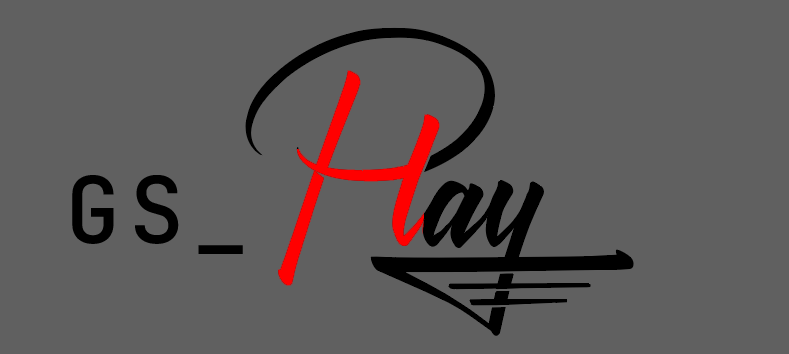
Damn people with their eyes, and reading things that are visibly there. We just wanna make a captivating and high quality brand, not deal with you seeing it.
Soooooooooooooo… we gotta rework things and keep on keeping on. We are finding out the attributes that work, the feelings we’re resonating when we land on them. None of this is valueless, it’s just a matter of getting it all in at once. We’ve been circling it so much, but it’s there. It’s somewhere in there… So. so. close.

There was truly something here in the individual characters’ format. And it, without a doubt, makes sure every single letter is individually legible. How can we capture that cleanly and attractively? This is maddening.
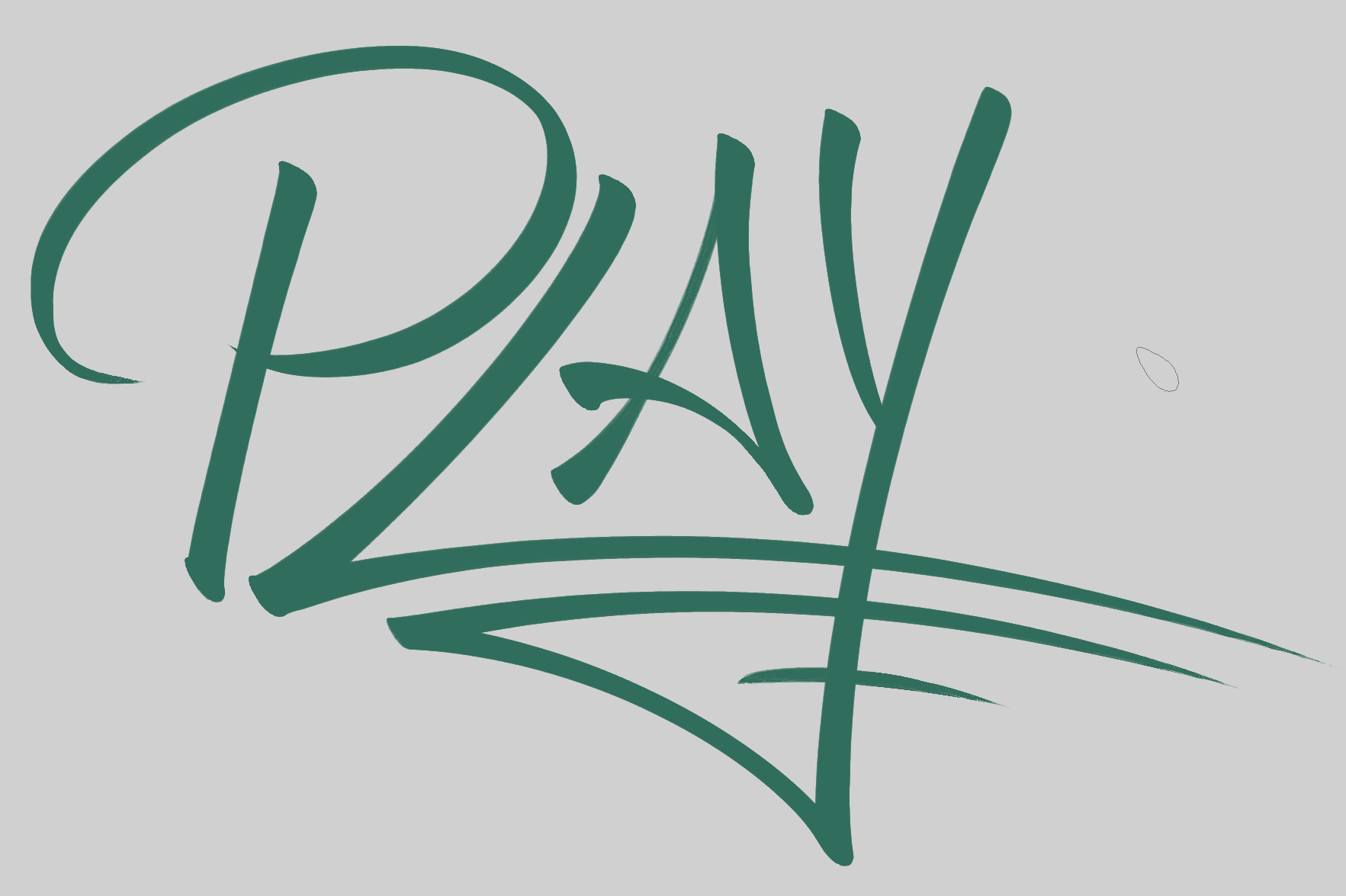
Oh, hrmm… now we’re talking. This is starting to have the legibility and energy…
And, with it starting to really show itself, I thought I should drop the one thing I had floating in my mind for a bit. The small flick of the wrist that makes the end of the underline suggest the rest of the Gelix shape…
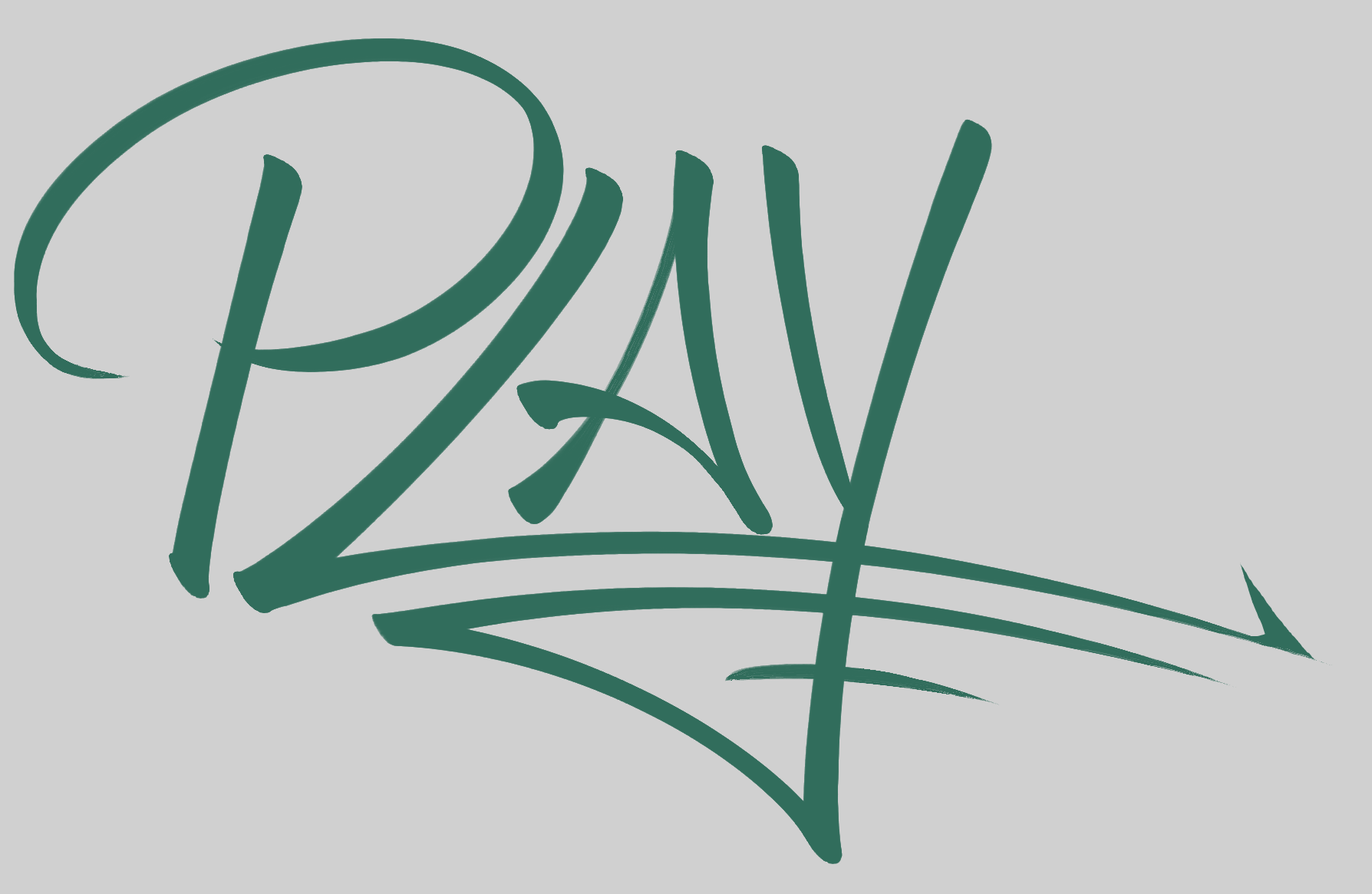
Not bad at all, we could… finish the Gelix part?
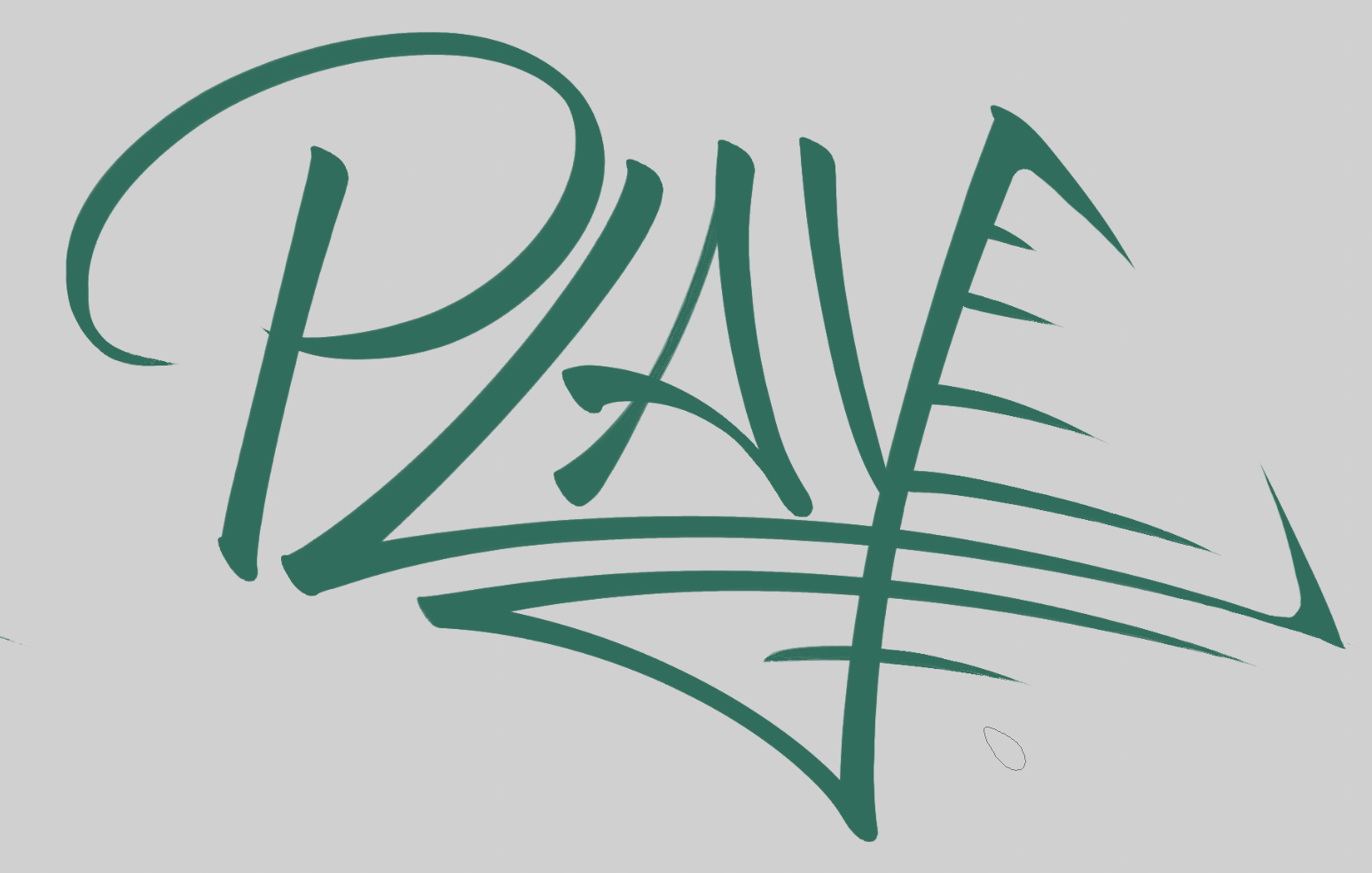
Yeah nah… that muddies it and makes things way too messy. Darn.
What if we change sides? That quickly starts making some really interesting form.
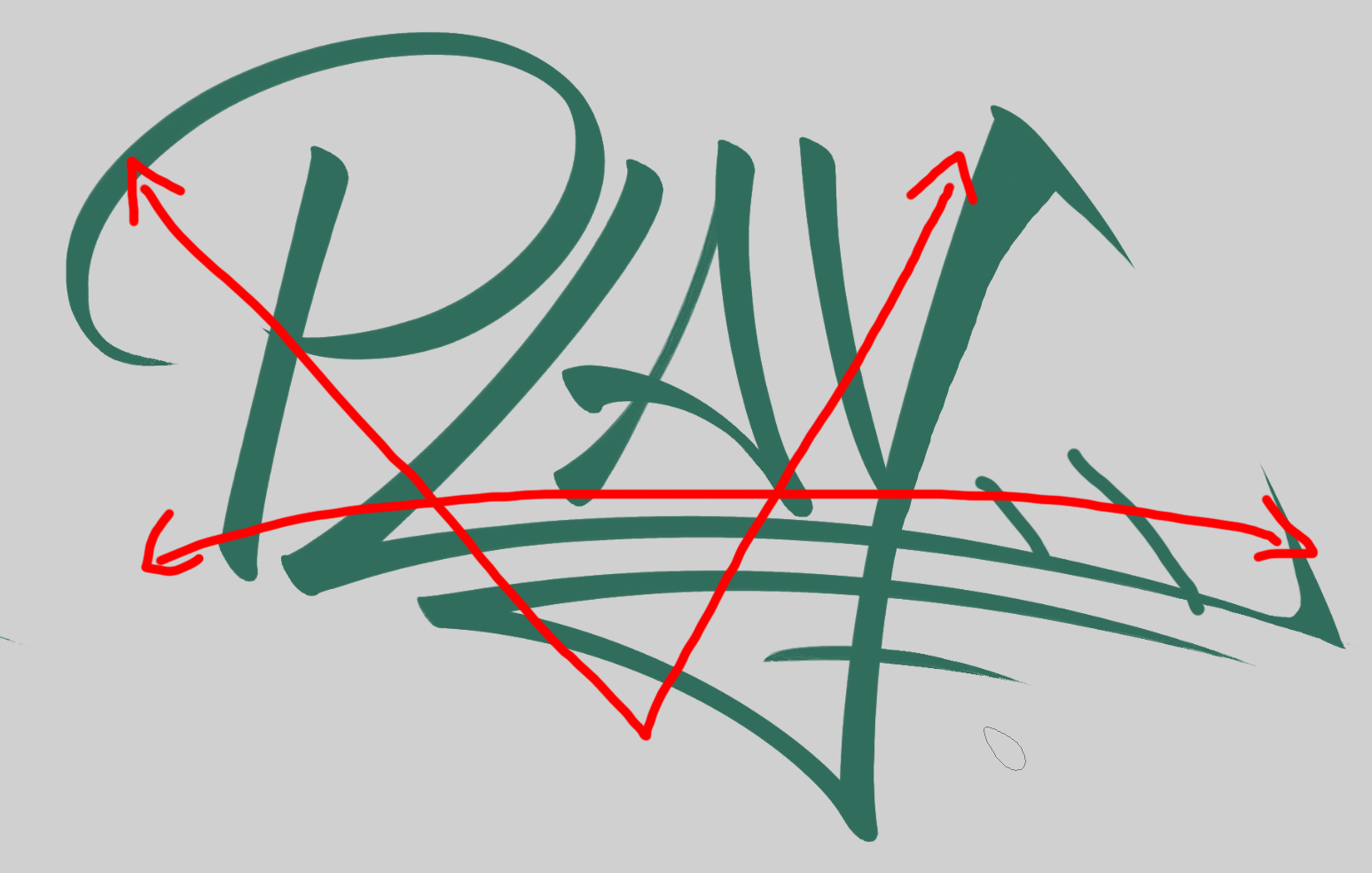
You can read it far more clearly, there’s suuch great lines of action that cross the whole image. Balancing the high and low energy points.
And then we just start to cascade with locking things down.
Balance of form.
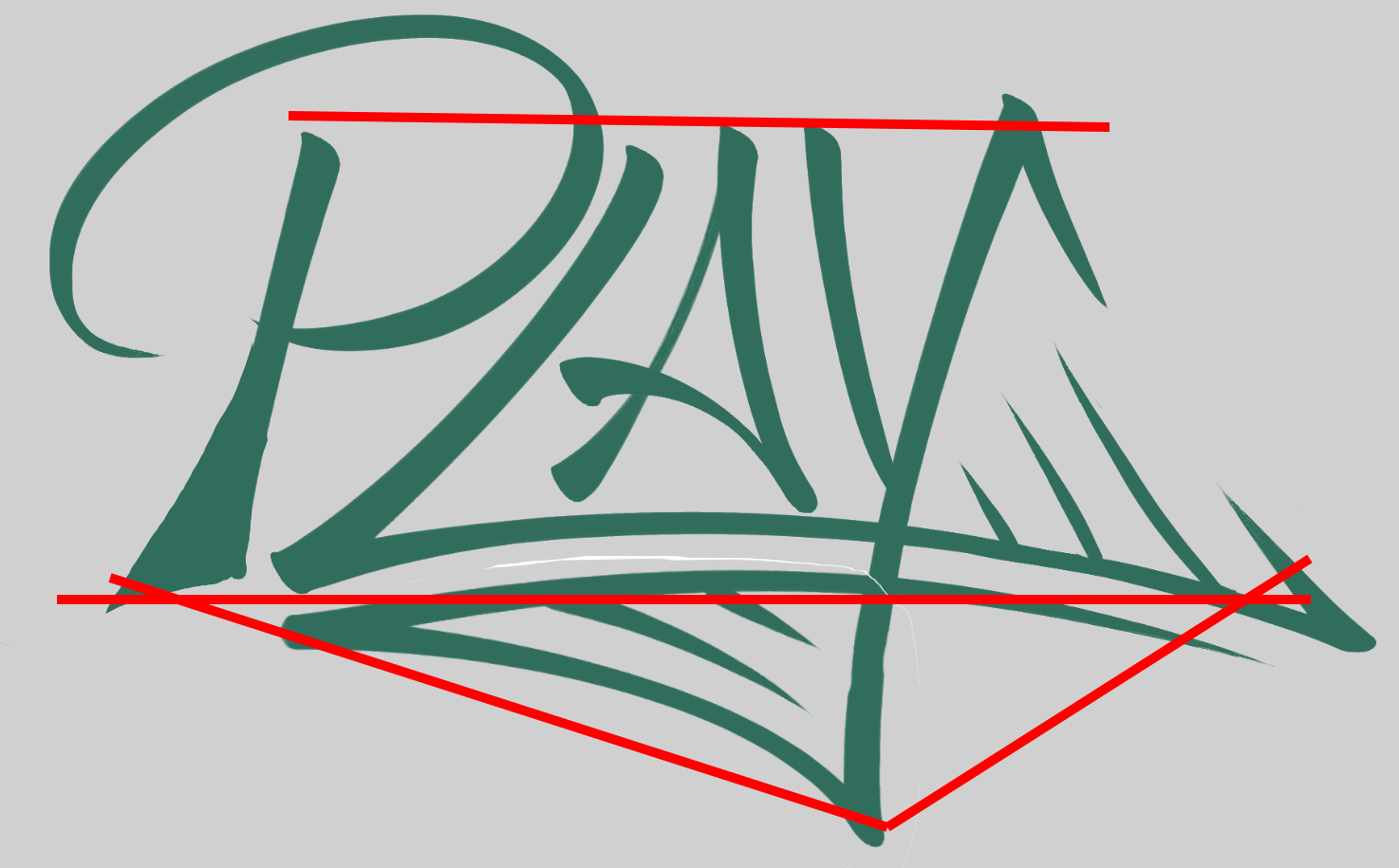
Follow-through of the underlines and where the stem of the P lie.
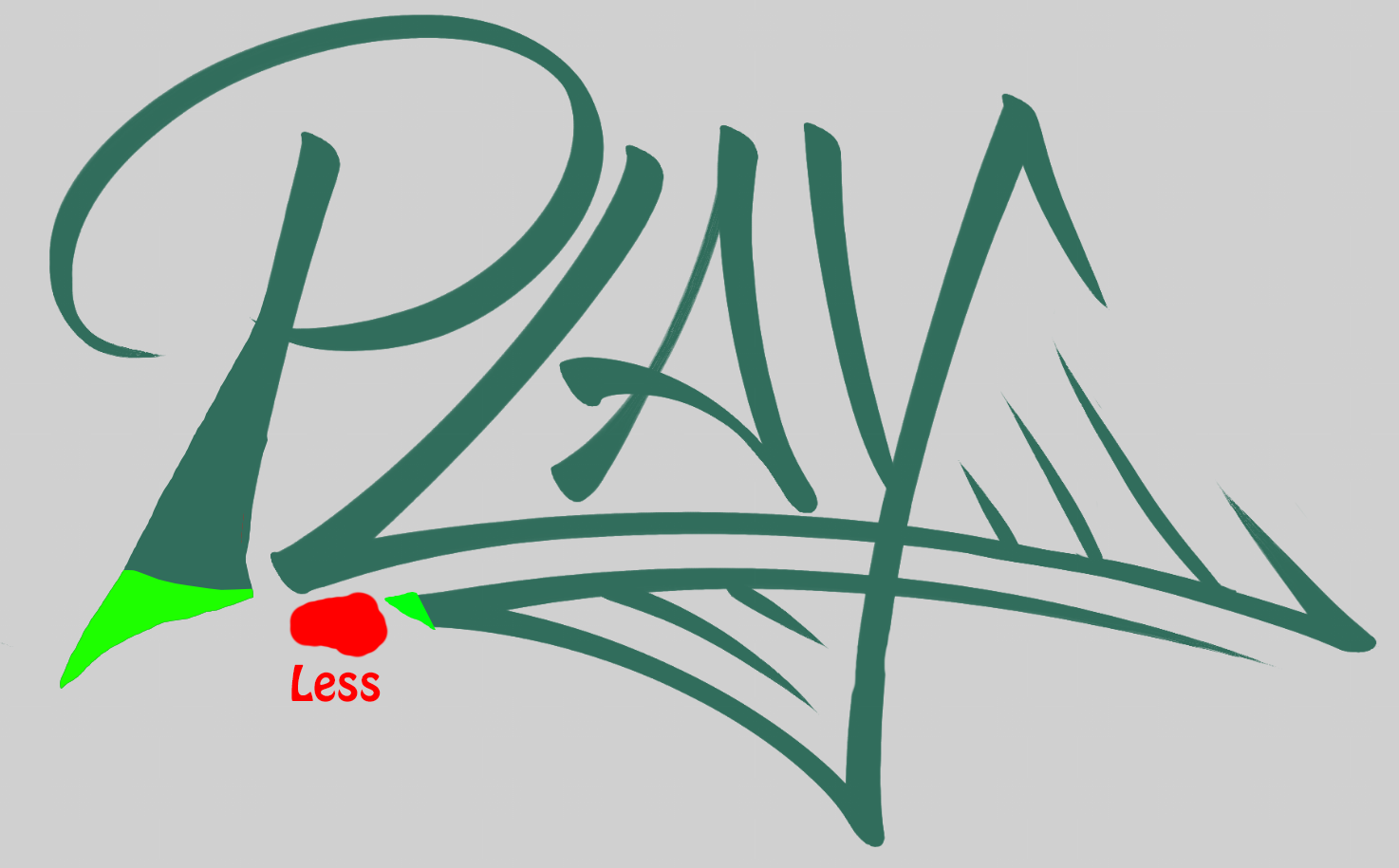
Capturing the nice rounded lines that preserve the energy across the surfaces.
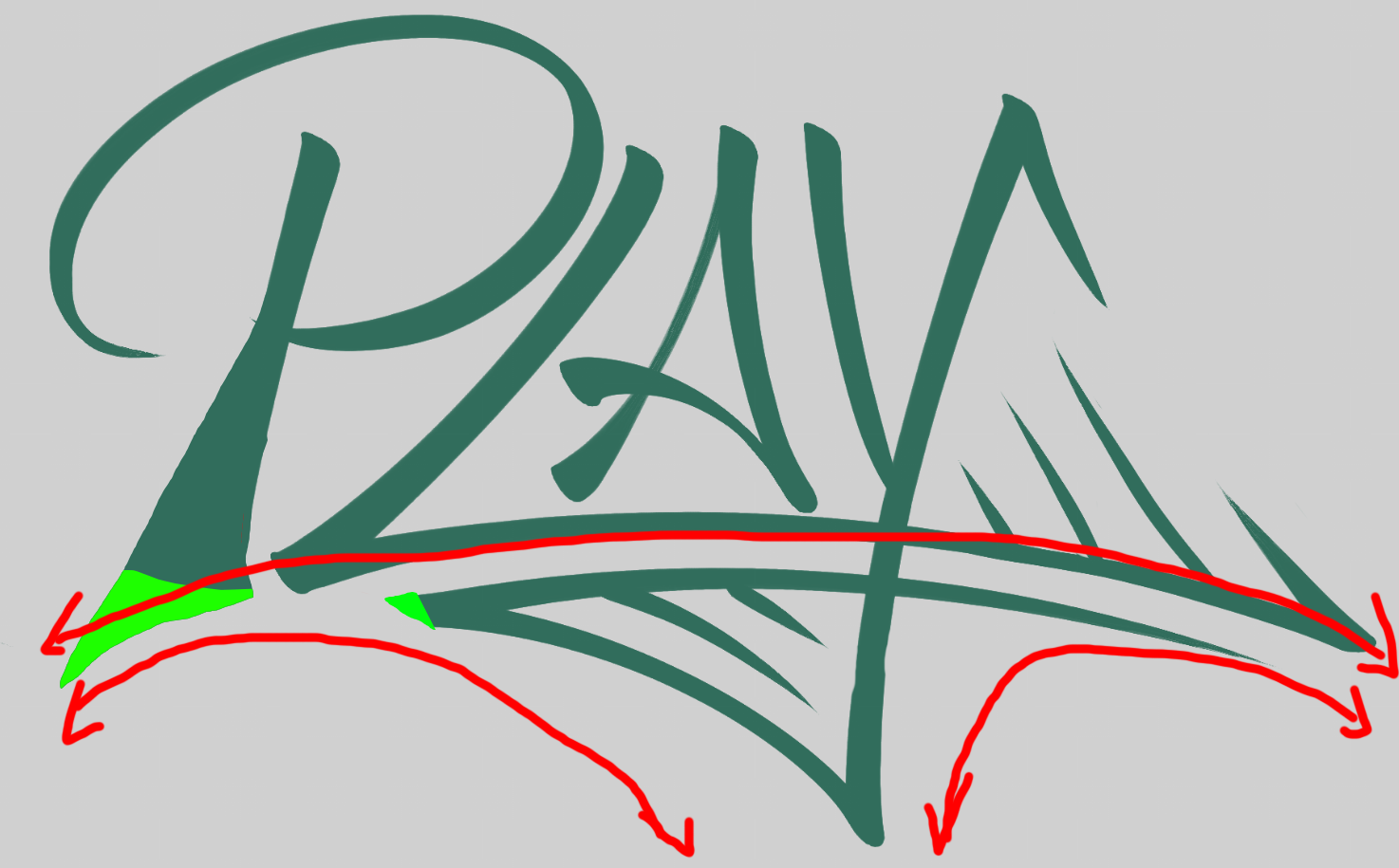
Balancing the logo to properly account for the difference in whitespace.
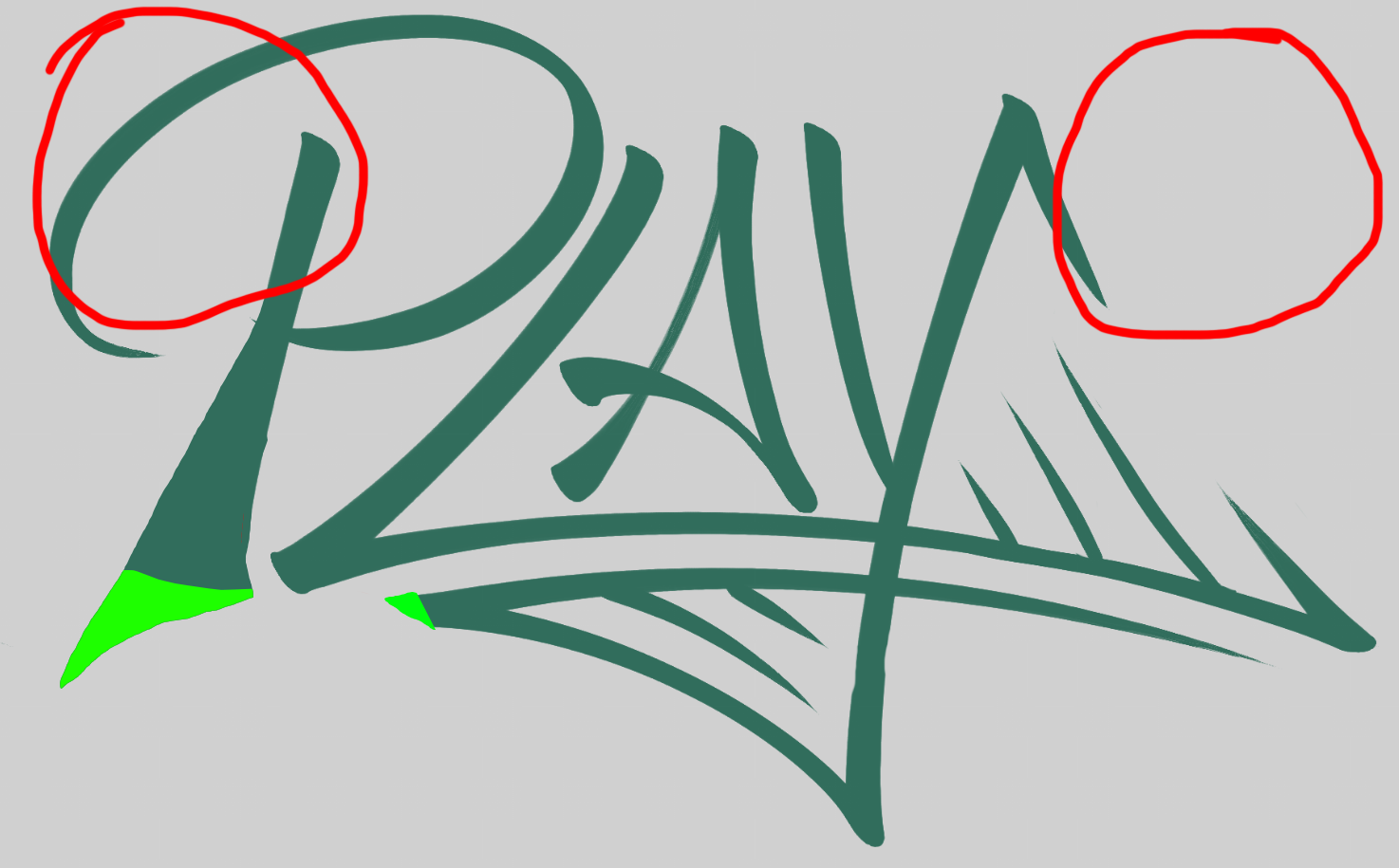
I don’t want to get too into the final weeds of the design. While very close in, just wait till the reveal…
GS_Hay? More like GS Hell Yes.
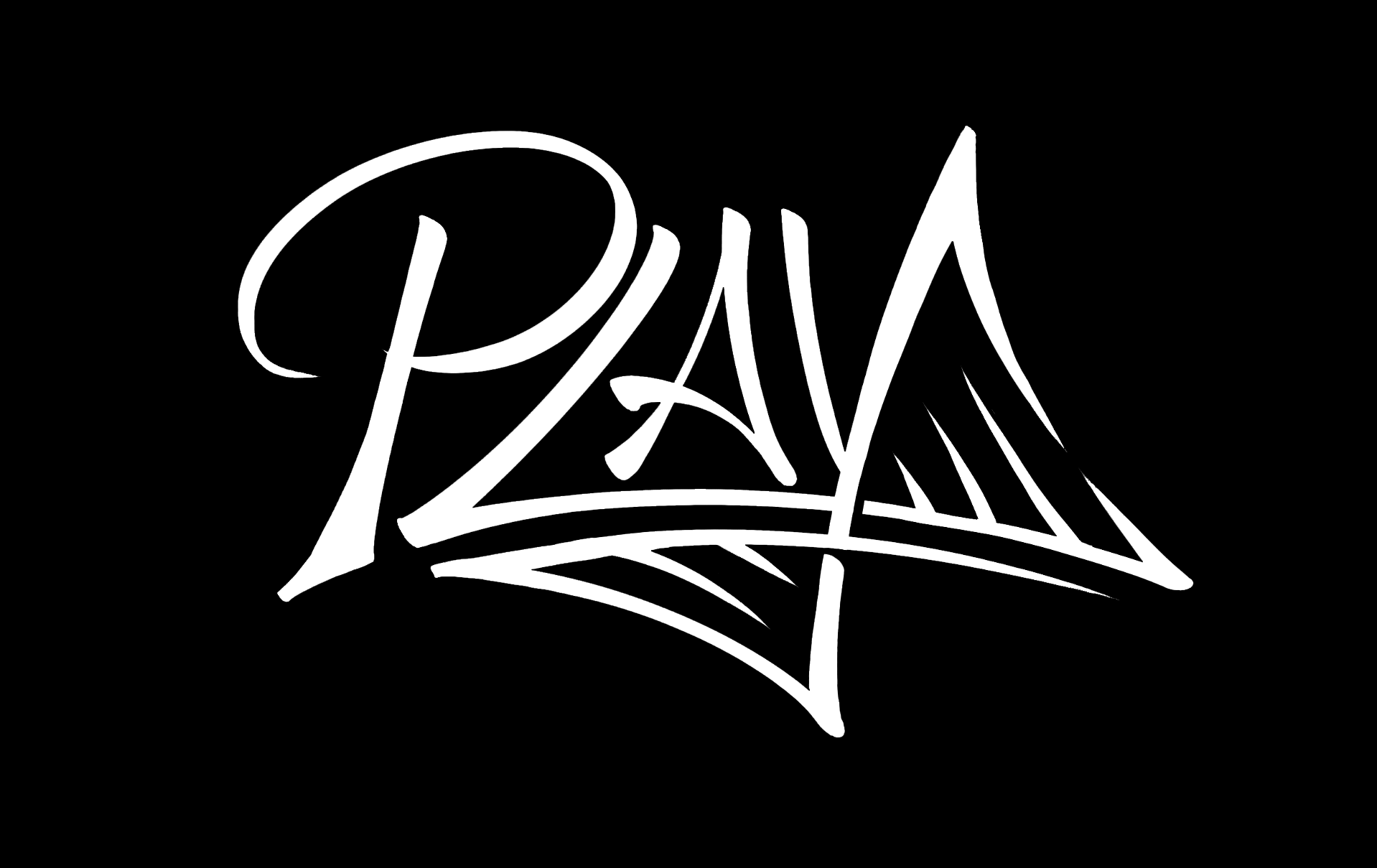
No need for the GS added, the gelix ties the play and core GS identity together. A little sharper than before, but full of energy, striking and cool.
It quickly became something that’s attractive alone, and even if you don’t know what PLAY it’s referring to, you’d be pretty happy to have it on a shirt or bag.

And we’re done!
This was a particularly tumultuous month, full of pivots, adaptation, persistence and survival.
I feel, in a lot of ways, I’ve spent this review whining, but I try to forgive myself for not being on point. And really, one thing I believe very strongly in myself and Genome Studios as a company is rolling with the ever-changing targets and optimization of the work and keeping on it. We never give up, we give our best. Sometimes that’s not perfection, but even in a month of messes upon messes, we’re breaking through and refining our internal processes, we’re breaking through and making high-quality work, we’re learning and growing and solving more and more problems with tact and good sense…
I can only hope for these sorts of outcomes, but we are reliably pulling them together every month, one way or another.
Here’s hoping for an easier one next, but be sure we’ll be here again with plenty to share for next month’s review.
Thanks for reading! Till then!
Btw, you can now rep Genome Studios on Discord with our brand new shiny server tag! Every bit counts!

P.S. Did you know you can keep up with our Month in Reviews by signing up for our newsletter? Just check below!
Want to keep track of all Genome Studios news?
Join our newsletter!