
Announcing Opal 1.0!
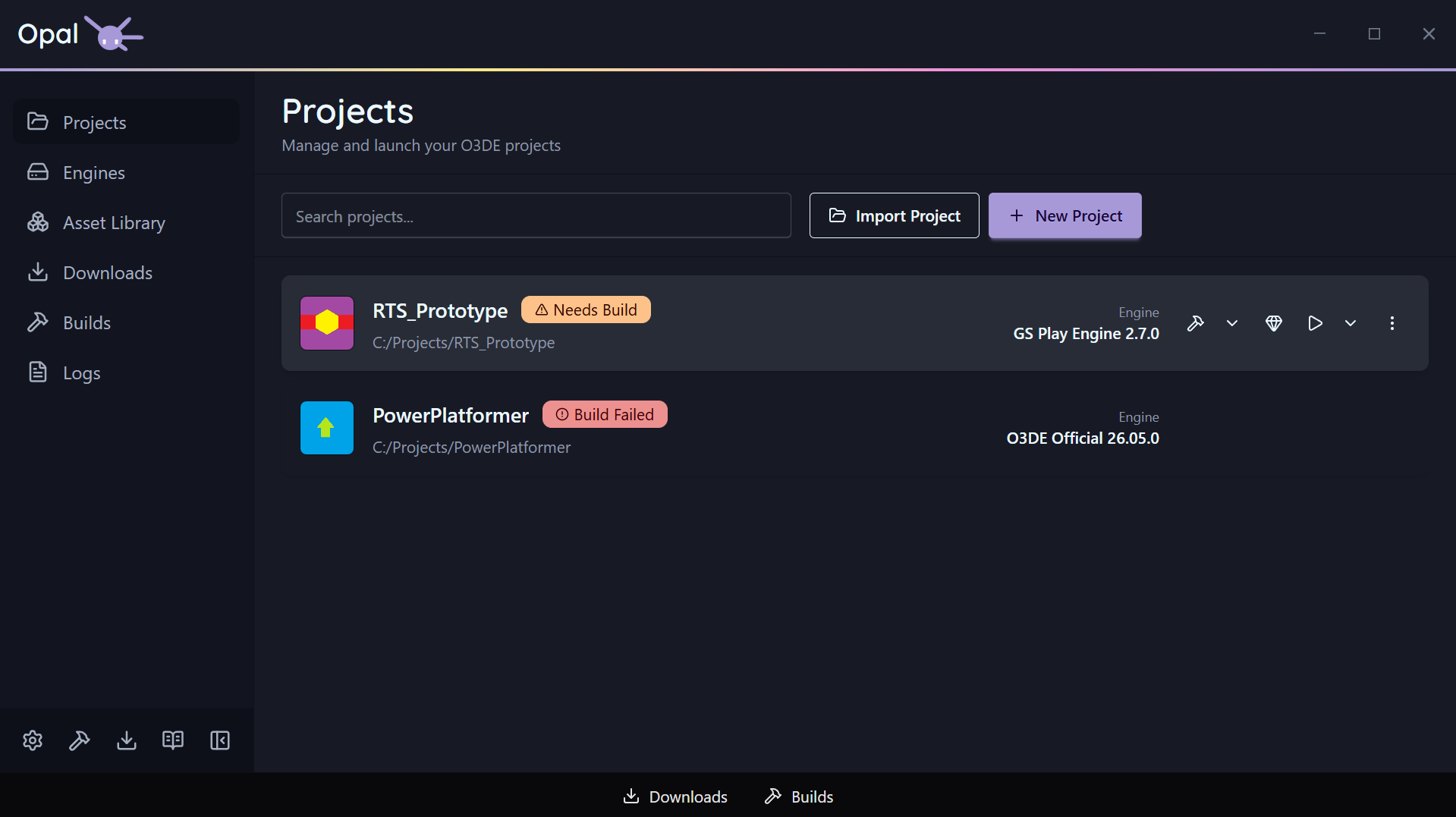
Available at: https://opallauncher.com/
Opal is a unified project management software for O3DE, built to handle full production workflows for the engine.
Download and install engines directly from the app — from prebuilt SDKs or source — then set up, manage, and configure projects, including build arguments, targets, and launch arguments. Add, manage, and track source folders for active asset management. Debug through the logs window, or fine-tune every aspect of your pipeline in settings — build system, core count, concurrent builds and downloads, download throttling, and more.

Have Feedback? Need Support?
Contact us through the site, or jump over to our Discord Server for live help.
Install Straight from the Launcher
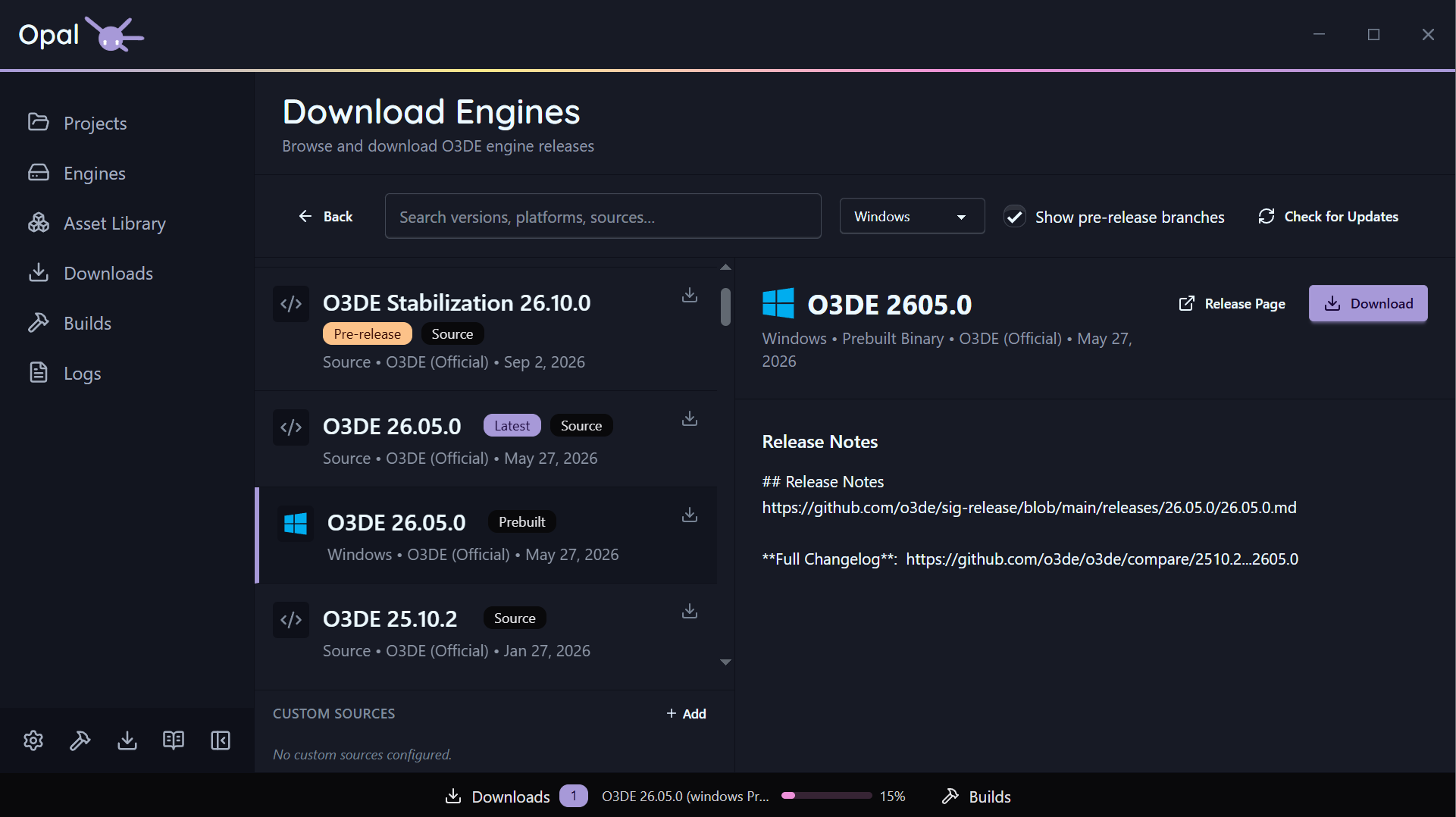
The Engine Downloads page reads O3DE’s release metadata and lists official builds by platform — Windows, Linux, and macOS. A “Latest” badge marks the newest release. Pick one and OPAL downloads and registers it. You never have to visit the O3DE website.
Advanced Project Handling
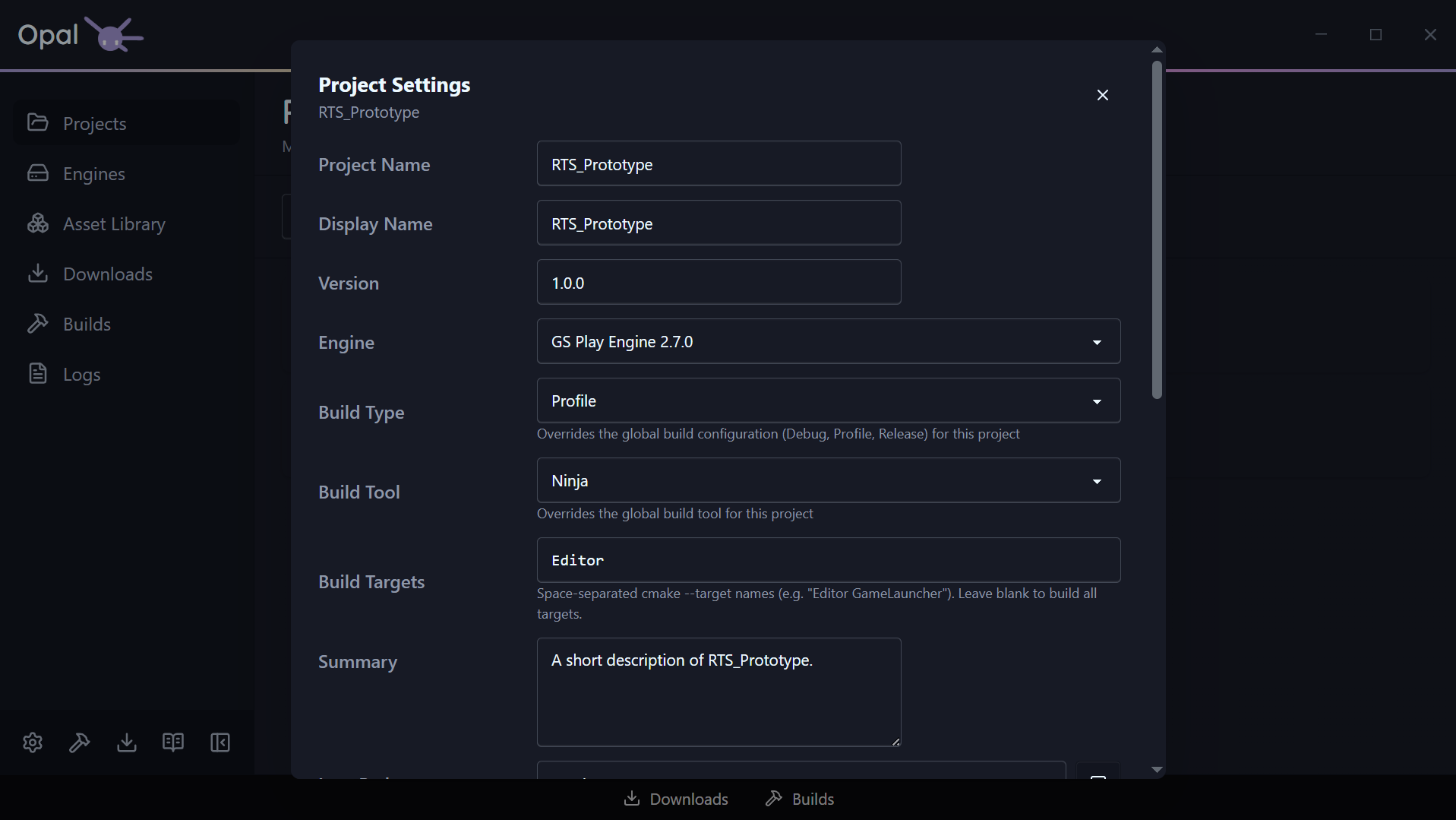
When one project needs to differ, its settings dialog takes over.
Give it a Build Type of Debug, Profile, or Release, or a Build Targets list so a build compiles Editor alone rather than everything. Override the build tool, and OPAL warns you when your build folder’s generator no longer matches.
Launch Options add extra Editor flags like --rhi vulkan, checked as you type. Anything you leave alone keeps following the global setting.
Detailed Gem Handling
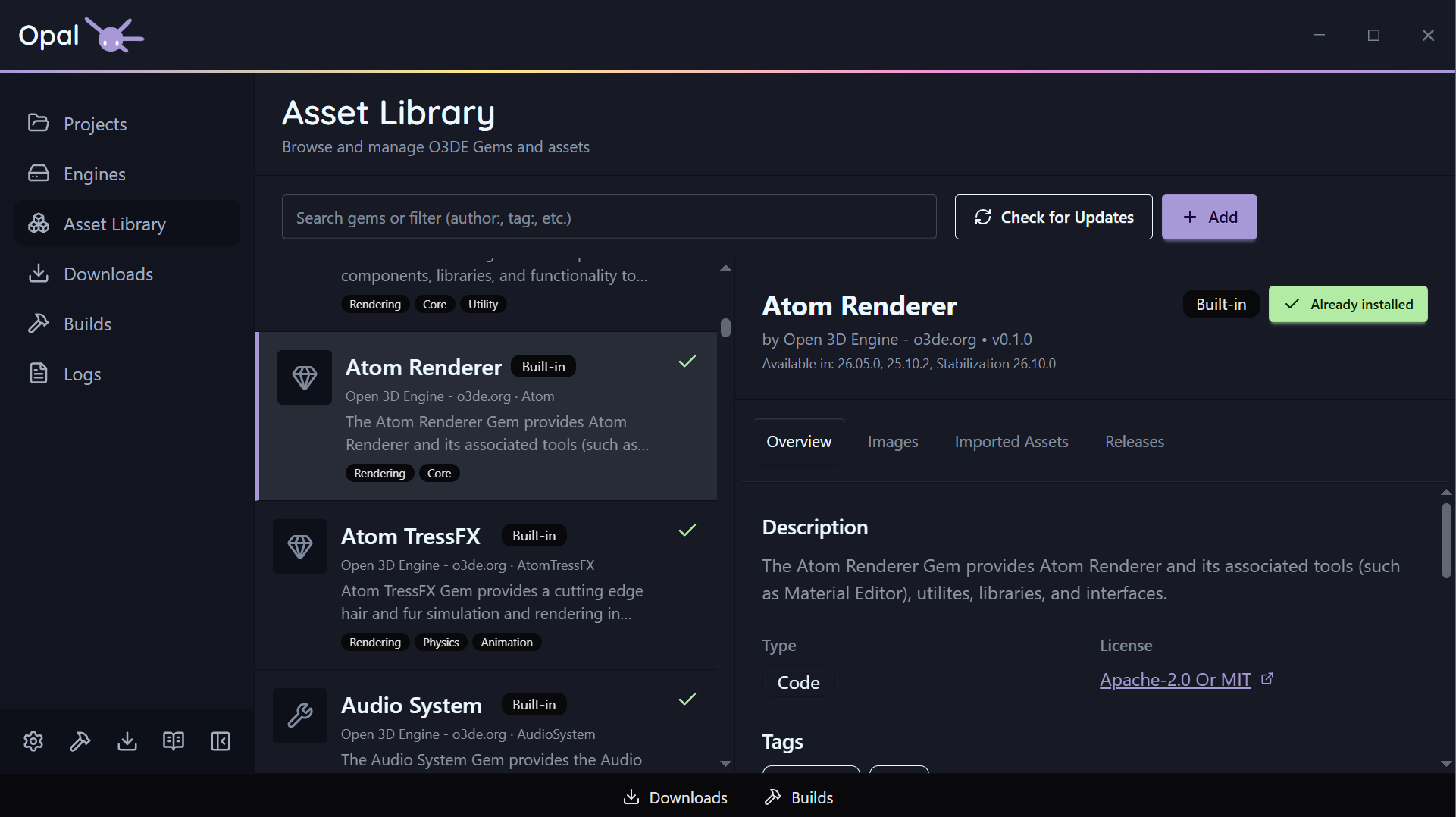
The Gem Inspector has five tabs — Overview, Images, Imported Assets, Releases, and Instances. Release notes are pulled automatically from GitHub, GitLab, and Bitbucket. Know what you’re adding before you add it.
Add any gem repository by URL, drop in a local gem folder, or set a watch folder that auto-syncs gems as they appear. Create a brand-new gem from OPAL. Everything is cached so you can browse offline.
Export Directly from Opal
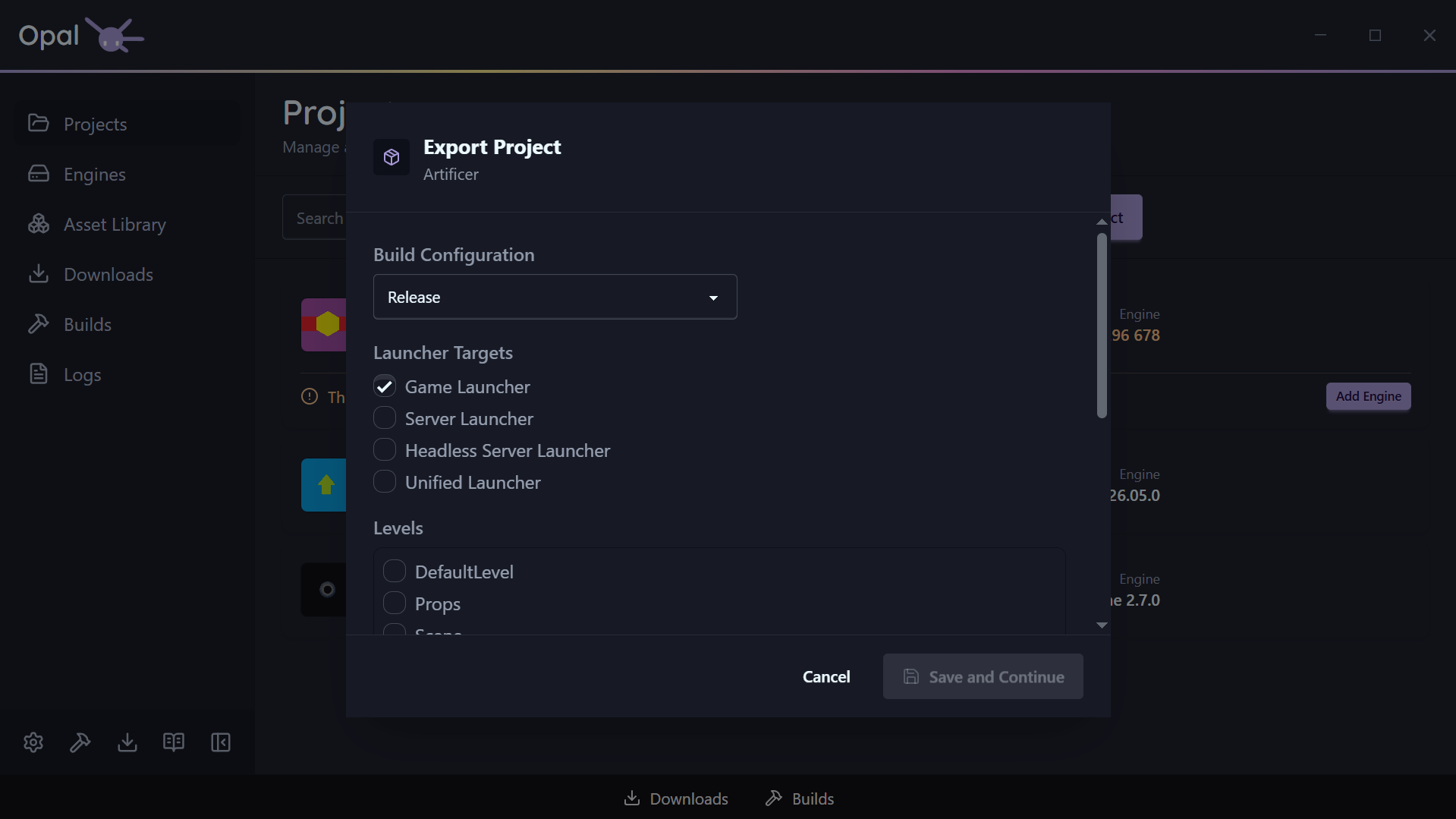
OPAL drives O3DE’s own export pipeline from a single dialog, so what comes out is a normal O3DE export.
Tick the launcher targets you need — Game, Server, Headless Server, or Unified — and choose your build configuration. OPAL reads the levels out of your project and lists them; tick the ones you’re shipping. Everything those levels reference is gathered into the asset bundles for you. There is no seed list to hand-assemble.
Your choices are written into the project’s own .command_settings file using O3DE’s export-project-configure — the standard, versionable export configuration, not a private OPAL format. Your team can read it, source control can track it, and the command line can still run it without OPAL.
Interrupt-safe Downloads & Builds
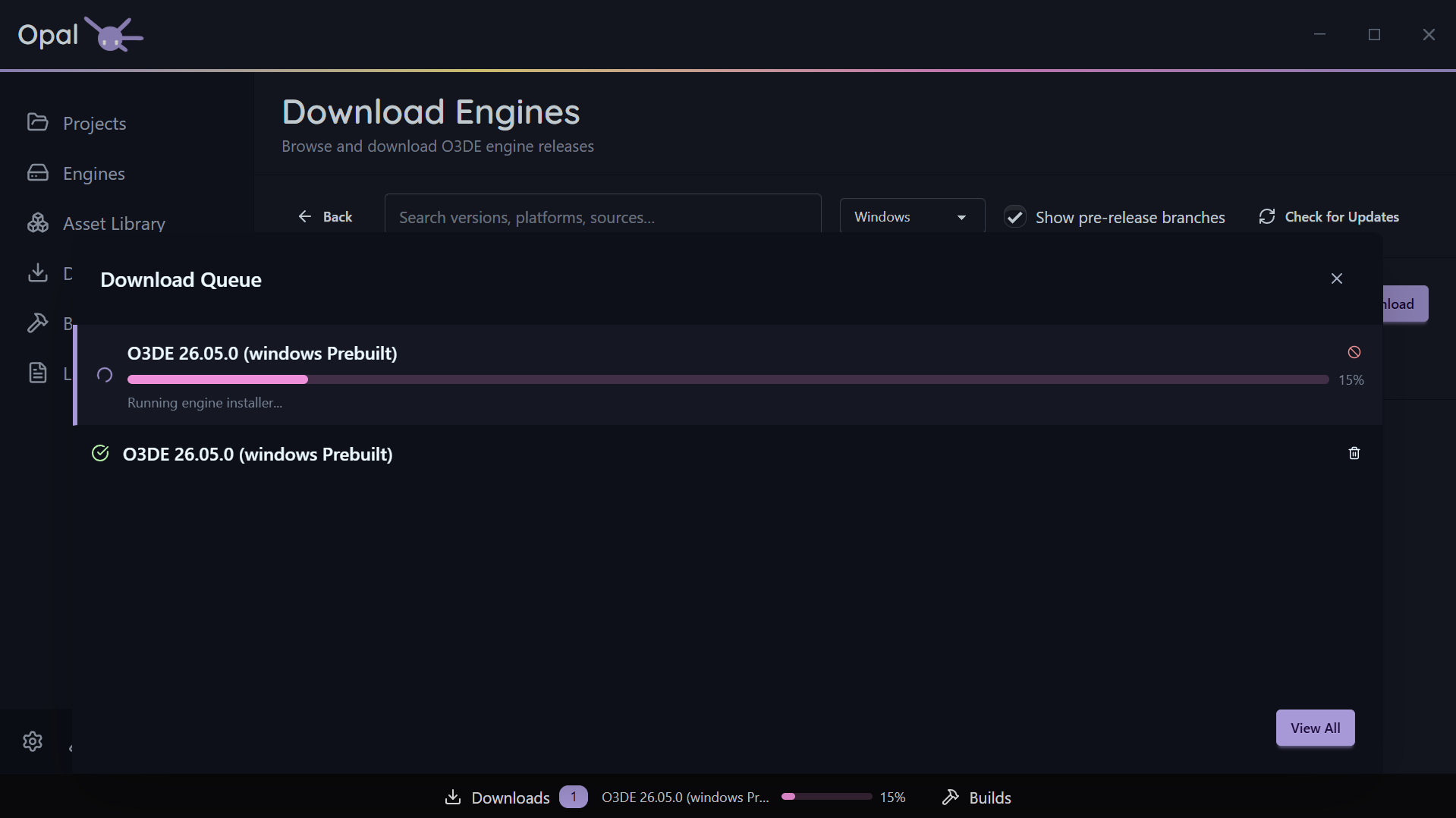
Downloads and builds can each be paused and resumed individually. Downloads add a Pause All / Resume All toggle for the whole queue. Paused, not cancelled — the bytes and build progress you already have stay put.
Close OPAL. Reboot. Lose Wi-Fi. Downloads pick up from the last committed byte; the queue rebuilds itself intact on next launch.
Debug with Logs
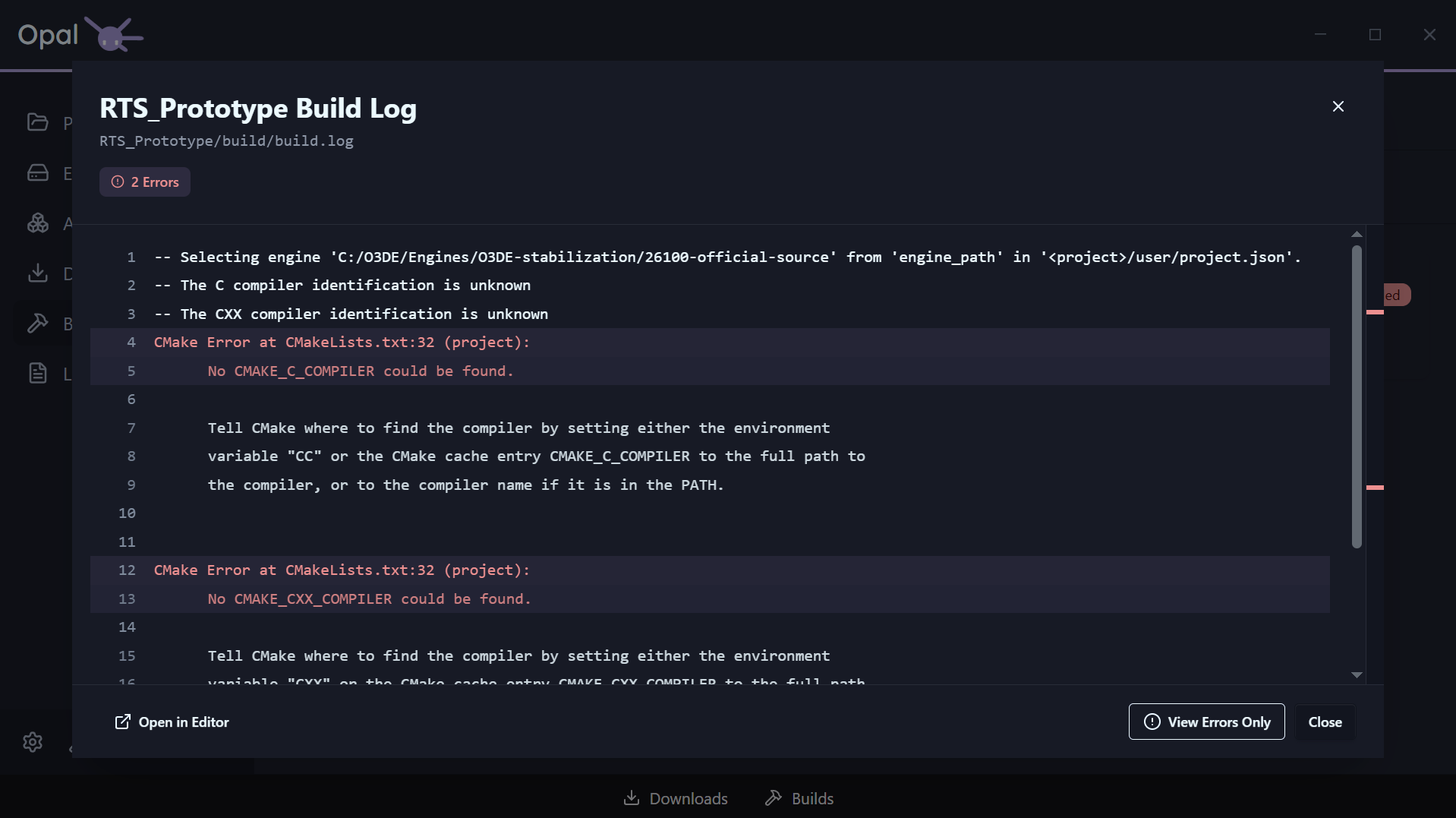
The Logs page scans the known locations for every registered project and engine and lists them together: build logs, CMake output, Editor.log, Game.log, AssetProcessor.log, and AssetBuilder.log among them. Build and launch actions stream straight into the same viewer, and every project, engine, and build carries a View Log shortcut.
Settings to Handle Your Entire Production Pipeline
A first-launch wizard walks you through Welcome, Build Tools, Libraries, and Install Locations — detecting what you have and offering the exact per-platform install command for what you don’t. Re-run it any time from Settings.
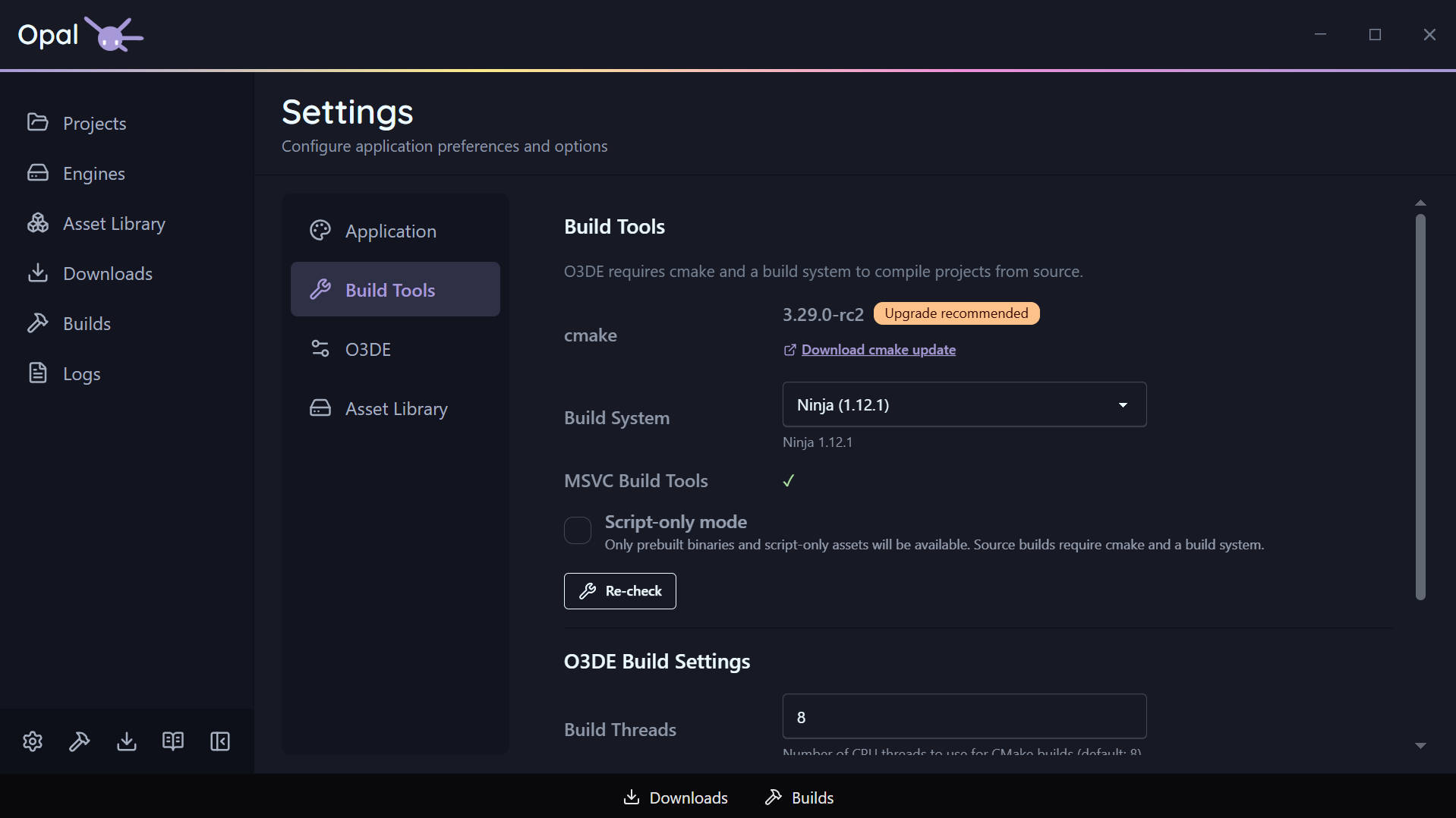
OPAL finds your CMake (and flags an out-of-date one), and detects available build systems — Ninja, Xcode, and Visual Studio 2019 through 2026. Choose your build tool, set extra CMake flags, and pick a build thread count.
Not compiling C++? Turn on Script-Only mode and OPAL hides source-build options across engines, downloads, and gem configuration — keeping the app focused on prebuilt, script-based work.
Press & Legal
Find our Press Materials and Brand Guidelines on the Opal Website
Our EULA is available with a Summary Page for easier reading.
Thanks so much!
We’re so excited to finally get this out and in your hands! Let us know how we did!
This project couldn’t have happened without the incredible direction of Shauna Gordon, our Principal Engineer, and the rest of the team’s contribution for the project.
We look forward to seeing an even more thriving O3DE community and ecosystem, and are excited to be taking part in it all along the way!
P.S. Did you know you can keep up with our News by signing up for our newsletter? Just check below!
Want to keep track of all Genome Studios news?
Join our newsletter!