
The month is already over? It’s as though I JUST wrote a month in review 2 weeks ago…
For better or worse, I have a very different view of this month than normal; no more repeated intros this time.
Why?
October was a trainwreck.
I’m being hyperbolic, but it really wasn’t the best of months for a myriad of reasons.
First, and already captured in the September Month in Review!
Flat on the Ground Burnout!
We truly didn’t do a whole much for… y’know… crunching around releasing Opal. There was some rush towards the end, but I can very strongly attest that it was mostly just making sure to prioritize the right work and see it through.
But I think there was a lot that occurred at that slice of life; September 30th.
Here in Edmonton, the weather finally changed to fall-winter weather. My fibromyalgia has been absolutely destroying me since. It will not relent.
Political pressures have been steadily rising; industry pressures have been steadily rising… They ALSO don’t seem to relent.
And I think concluding Opal was a kind of spiritual burnout, or spin-out. After dedicating so much time and effort, much like a completely immersive game, movie, or book, we were just left as ghosts, completely unclear about what to do and how to do it next…
I talk a lot about recognizing burnout in yourself, and having the honesty to give yourself a break and forgive yourself for it; but there’s something to be said about catching it in your team early, and acting on it before it gets out of control.
While I was dragging my lifeless corpse into each day, I was not the only person with no more fuel in the tanks. Without a moment’s hesitation, I just called it for us and let us off the hook to regroup in the necessary time needed to actually get back on our feet.
By “US” getting back on our feet, I actually mean everyone but me… because to this day I am still dragging my lifeless corpse into each day. This change in weather has me completely slain. It’s incredibly frustrating, to say the least.
Back to October
I started the month by taking 2 weeks to write the September Month in Review. Turns out that means that you do less other work. Who would have thunk it?
In my procrastination, I DID get other things in during that time.
A small one was installing “Marge Bot“, an automated system that you host to merge chains of GitLab Pull Requests.
We were working out implementing the results of one of my “Brute Force” implementations that ended up breaking into 14 incremental PRs. Of course, every time you merge one in, the GitHub history moves one step forward, so in order to merge the next PR you need to ‘rebase’ it and THEN merge.
We also have automated tests and build requirements, so not only do you need to rebase before merging, you need to rebase, build successfully, merge, then build successfully before you can start your next merger.
Enter Marge-Bot. You assign it to a PR, and it’ll wait through the various processes before an actionable step, then, in very simple ways, rebase and merge the branch in order to get it in. It took a bit of finessing to both get it configured right, but also to understand what we actually need to do to use it, but we got it working. It’s been quite helpful when we just need to set it and forget it.
Then Began the Opal Ripples.
Soon after Opal’s release, the first upcoming O3DE Tac/Tsc (Technical Steering Committee) meeting came up. Needless to say, Opal’s release came up; we definitely stirred the pot with that one.
This revitalized a discussion around a… feature rework? That has long been put on the sidelines in favour of more immediate goals.
Schema 2.0: https://github.com/o3de/o3de/issues/17505
This is basically the proposal to change how data and the data structures are formed and used surrounding the entire O3DE system.
I actually don’t know if I covered this before, but Opal had one absolutely staggeringly frustrating issue that stemmed from the O3DE data structures.
When you register an engine, a standard process that happens when you install an engine, it would record it as: “Name”: “EngineDirectory”. A seemingly harmless record of information.
However, the engine name would either be “o3de-sdk” or “o3de” for the installed version or source code versions, respectively. The worst part of this harmless registration is that the NAME was the binding factor, the path being just a secondary source of data.
This meant that when Opal started allowing registering multiple SDKs, multiple source engine installs. The registration started eating itself. Engines would either overwrite the previous, or ‘register’ but not actually get added to the registry. Projects would gain a new PATH to their engine (not the same engine), but its local references were to the original path of the engine they actually used. The engine WAS there, but not in the record.
Holy cow, this was agonizing.
Because it was entrenched in the O3DE registration system, unrelated to Opal, we actually had to mobilize in the community and actually propose a new registration structure.
Because the projects know their engine by path, and engines exist whether or not they’re registered. We simply started using Engine Path as the single authority on what engines exist. The name solely serving as an identifier for finer granularity (if any actually differ).
From this upcoming release, 26.10, and beyond, all registrations will be using that format, which should make all this trouble fade into the history books.
This scenario is one such case that the Schema 2.0 is trying to resolve. Important ways to better describe the data around the systems so more complex tooling can be made around it without everything cannibalizing itself and collapsing under its, currently very light, weight.
Opal now stands as one of the stakeholders in figuring out this system.
Then on October 16th: A Miracle.
I released the September in Review. An exhaustingly long update about everything going on. Exhausting to write, exhausting to gather the media resources, exhausting to post… All while going to bed tired, waking up tired, going all day tired, then returning to bed tired, all day every day.
BUT I DID IT! -participation trophy parental clapping-
Now I was free!
So, I immediately spun out into coping work to have fun and do things I definitely wanted to do more than writing that report.
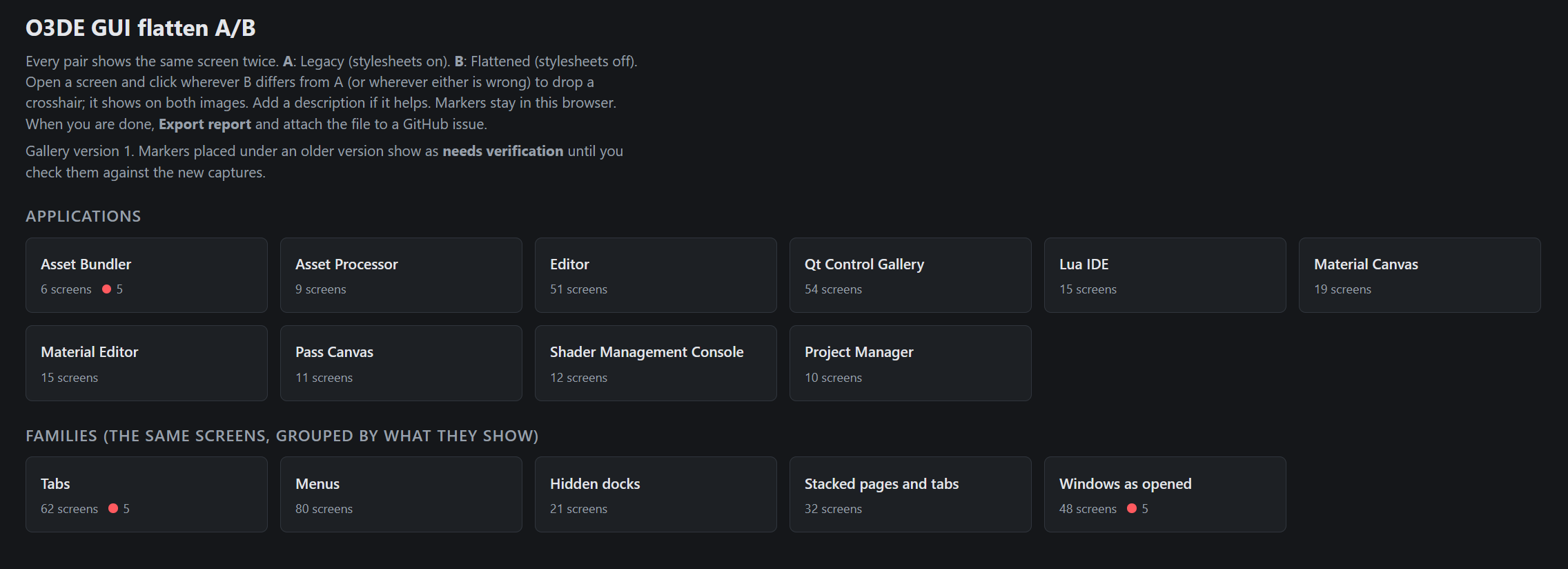
Thanks to my describing it in the last review, I ended up trying to migrate my A/B testing system into a shareable tool for participants to mark screenshots of the engine and leave comments on what about the GUI is failing.
It’s here: https://github.com/GaianHelmers/o3de-GUI-AB-Testing
It’s a local tool where you can mark the library of screenshots, then export an index of what was marked, where, and with what commentary. It was getting really cool.
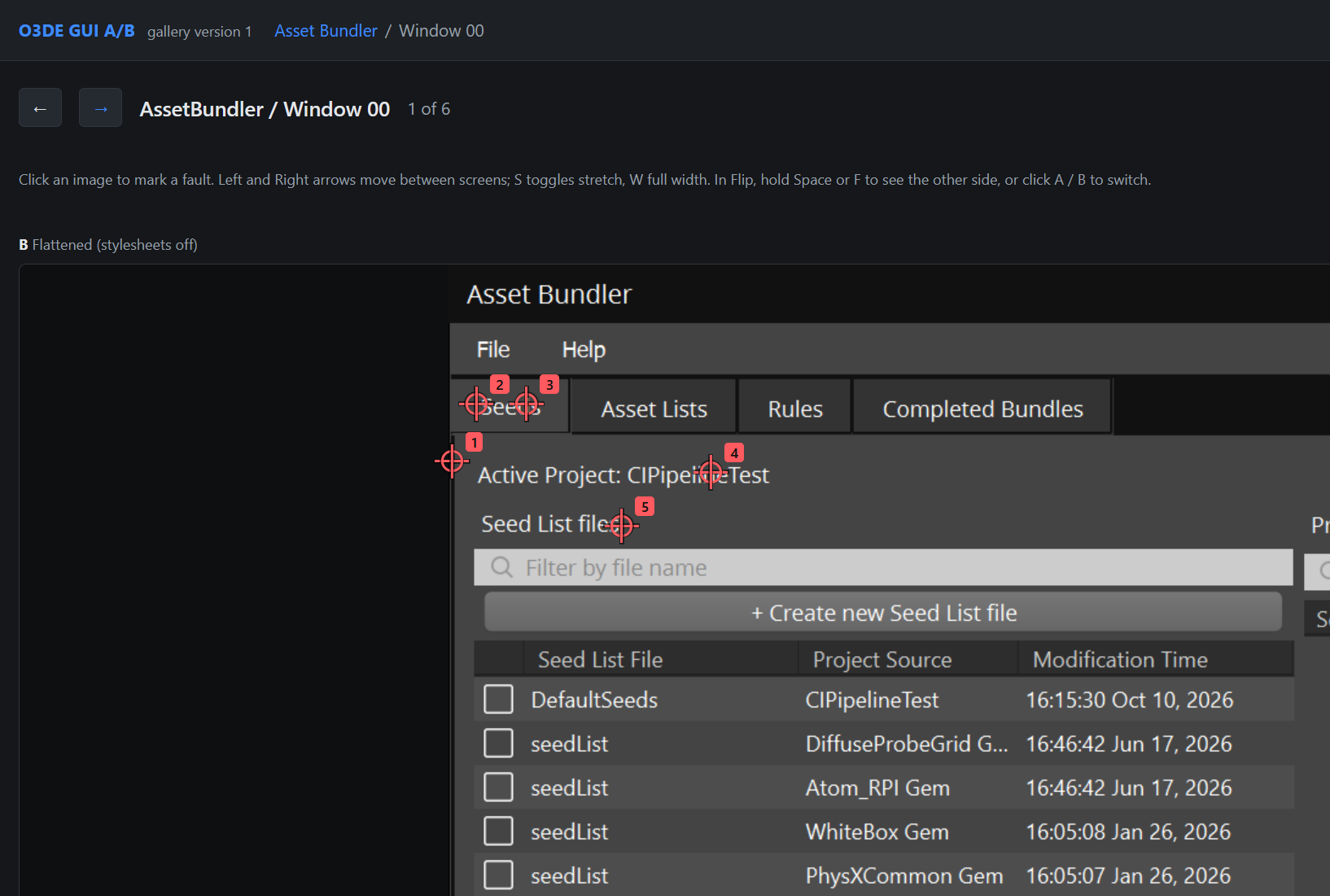
But then I discovered something.
As part of this system, Claude was literally putting meta information into the screen captures to describe style/structural details. So markers were not just: “Picture3, position XYZ”. It was actually describing: “TopLeft.Menu.Hovered” or whatever the descriptive element was.
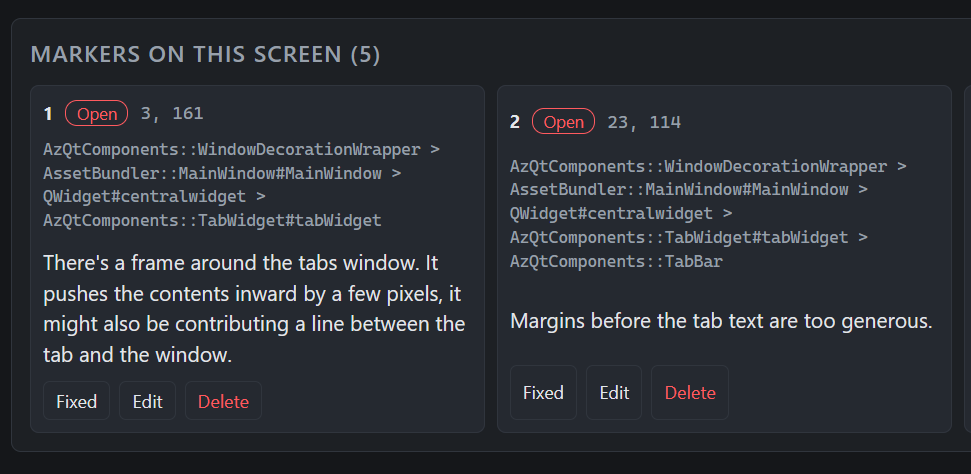
I immediately realized that this gives a WAY more powerful axis of detail than JUST A/B pixel image comparisons.
The evaluation tooling insofar was basically taking 2 images, the original GUI and the changed one, and then saying “these pixels here in this image pair are different”, then it’d just blast some arbitrary chain of styling to see if it would change.
After this A/B system, I got a far more specific comparison system going, where the pixel discrepancy would essentially act as those user targets, and the GUI element below it would get targeted. This would then be used to actually identify the exact element that was not working.
One additional change to the tooling was to then let the image render as completely as it could (by waiting a few seconds before every screenshot), and then log the styling that served as the final values of the GUI after all the various layers of stylesheets and processing happened.
This combination of “The only numbers that matter are the final human-visible measurements”, and “The X.Y.Z element is 10 on native O3DE, and 8 on the new flattened version” finally came to a head and after only a few new iterations of the comparison screenshotting, we started hitting 95% visual parity. This was a massive victory and gave me so much renewed vigour for the flattening project. It remains a VERY necessary improvement for the O3DE editor, but holy cow I was not looking forward to doing weeks-long iterations while trying to herd volunteer image processing feedback.
Then I stumbled onto the nostalgia train…
Most of this work has been in the evenings while the workday has been arduous, boring, and dry work. Don’t worry, I definitely suffered every workday to earn these fun projects.
For whatever reason, this night I decided to work through my 200 Some People’s Kids comic pages and re-export them all in HD. A remaster pass I had needed for the SPK interactive website, as well as the Genome Infinite media library.
Whatever it was, maybe the fact it was completely mindless to accomplish, I ended up just working through the entire thing. Where otherwise I was dreading the tedium; it felt gainful to put the effort in that particular night.
And so it was done! The Pilot, Moe Money, The Meat, and The Republic!
Not only that, but the next day I ended up remastering and releasing the entire library of Comic Strips and Community Q&A’s I had done during my time hosting SPK on Patreon.
These strips were actually huge in realizing a lot of new lore and characterization underlying the characters only briefly touched on during the actual comic episodes.
I then updated the Animated series entries with every animation I released.
It was all really amazing, and sad, and angering…
This whole effort made me personally review every single piece of media I had made for Some People’s Kids. I revisited a job that was 5 years of continuous work, ending in a bitter and burnt-out conclusion of that part of my dream career.
It allowed me a renewed perspective on the comics, which have fallen into a pretty “The first season was roough…” level.
I found comic strips I didn’t remember at all, and I had some of the heartiest laughs in quite a long time.
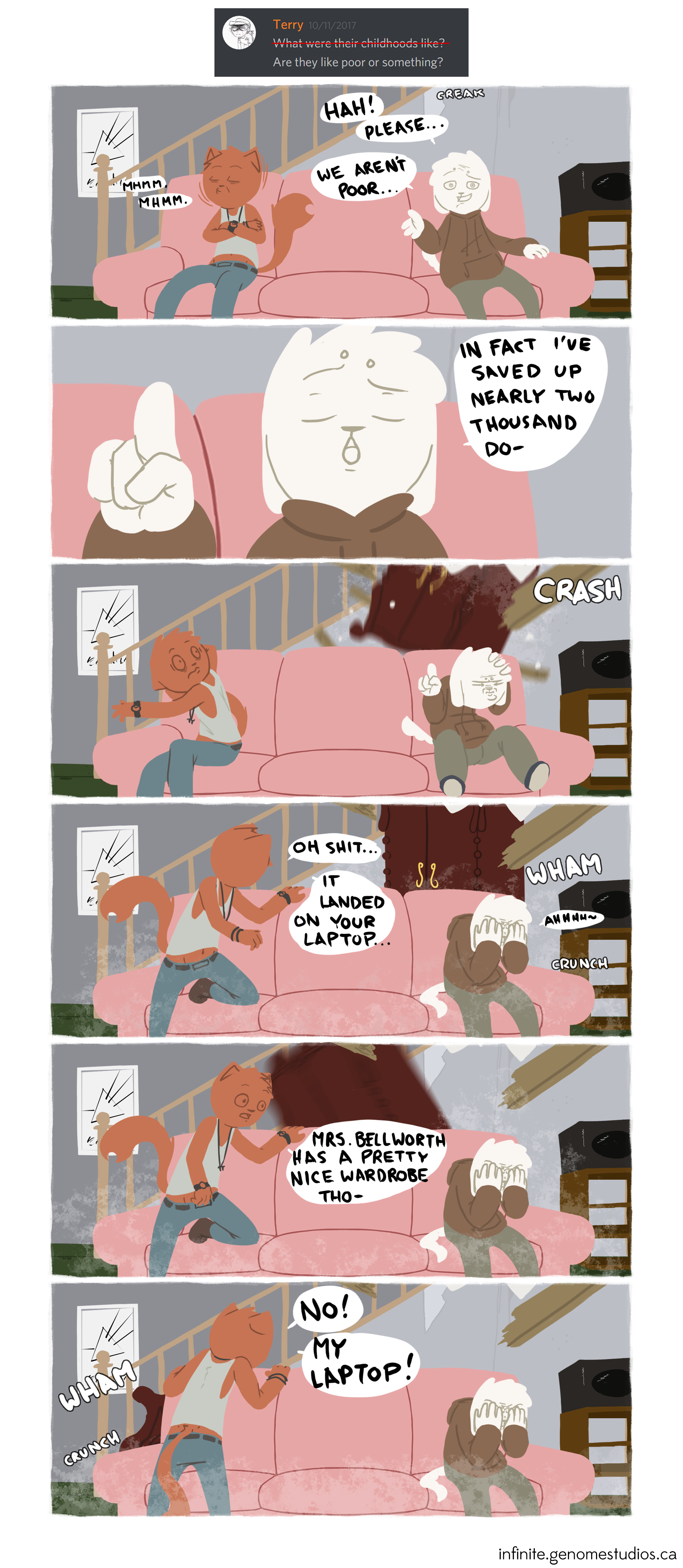
I ended up scouring my backlog of animated pilots and skits… This part absolutely killed me. I had tried to make SPK pilots SO many times in the past… and I now ended up colliding with them as I scoured my backups.
There were SO MANY skits that were 75% through before I burnt out and fell out of it. For a long time now, I’ve sincerely been at odds as to WHAT work I have done in my past that has ended up with me at age 35 with next to no published work.
Well… years and years of 80% finished animations and supporting 200 comic pages and strips for a sitcom cartoon series is definitely it…
I was taken so aback by this that I ended up actually posting a completely unreleased skit that was, for all intents and purposes, capable of depicting the gag, despite being incredibly raw.
Introducing – Sick Tonight (2019):
I was embarrassed to voice act it; I didn’t end up adding the final recordings, didn’t complete the animation… But here it is; I laughed my ass off a good couple times rewatching it.
This all made me so proud… and angry, and broken hearted. I loved, and still love, this series; it’s something I dream to return to in full force. I adore the characters, and have so much I wanted to share about them and the many cast members I have in mind as recurring characters.
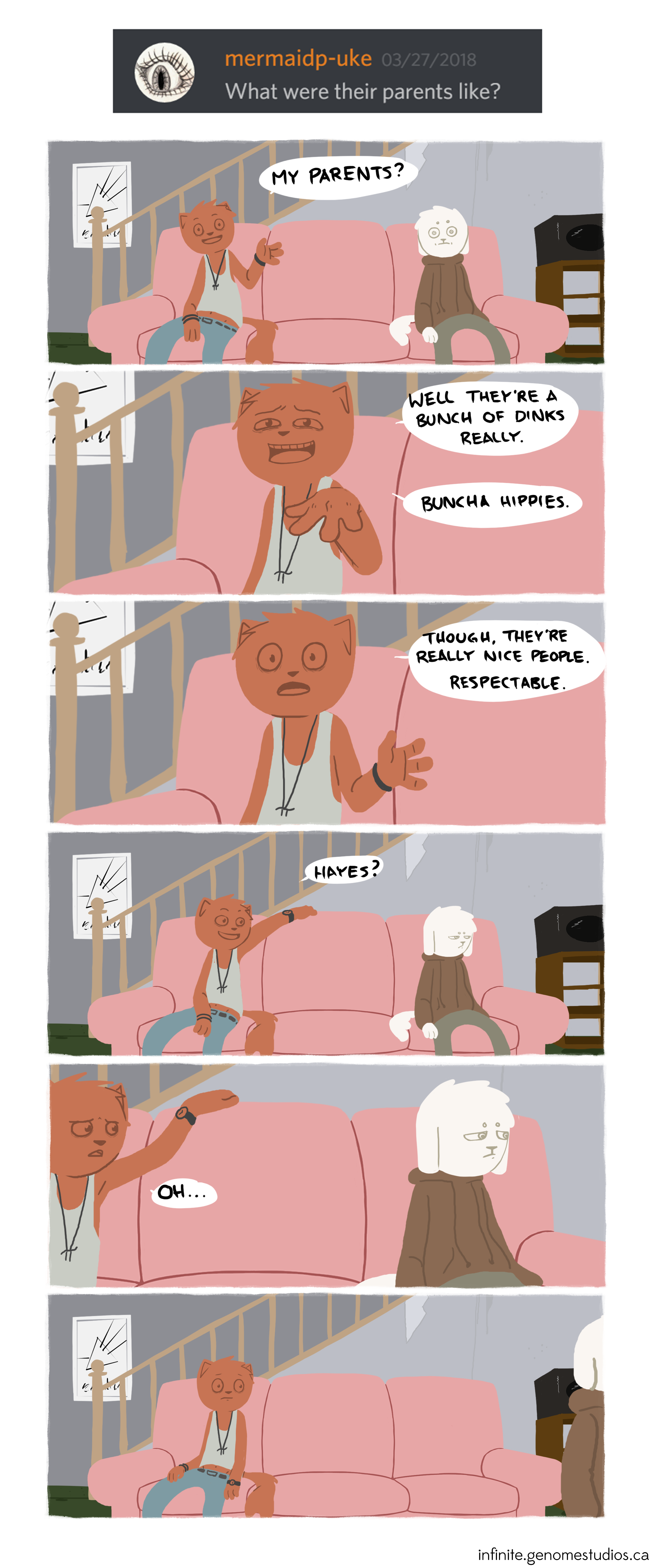
I’m devastated that so much ended up just forgotten behind a Patreon Paywall that eventually ended up just being a dead link. I’m so angry that I just couldn’t make it through any of these animations I got SO far in…
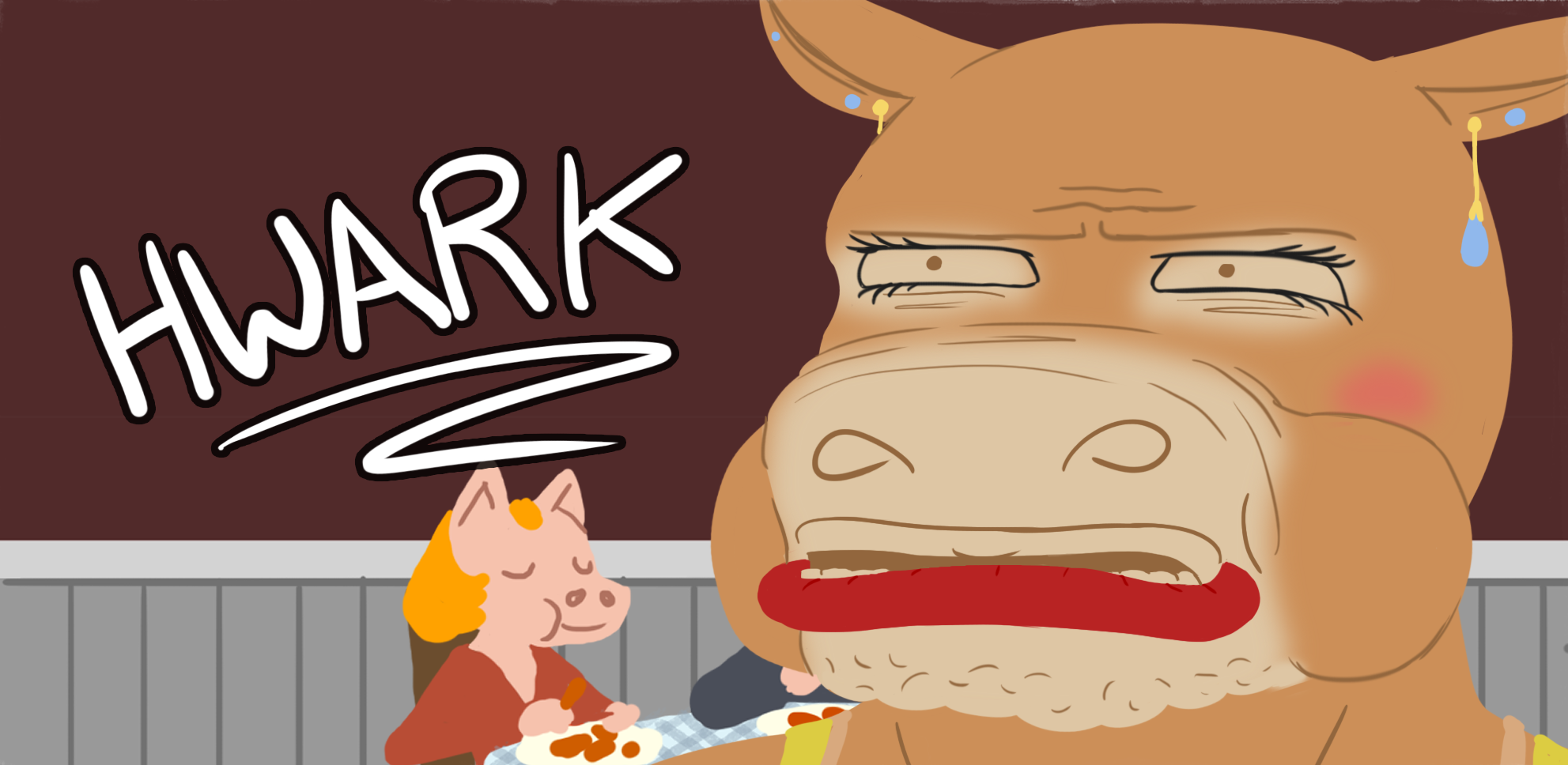
I’m so sorrowful that I haven’t been able to touch on this series going on 8 years now…

But with all that, I was able to launch Genome Infinite!
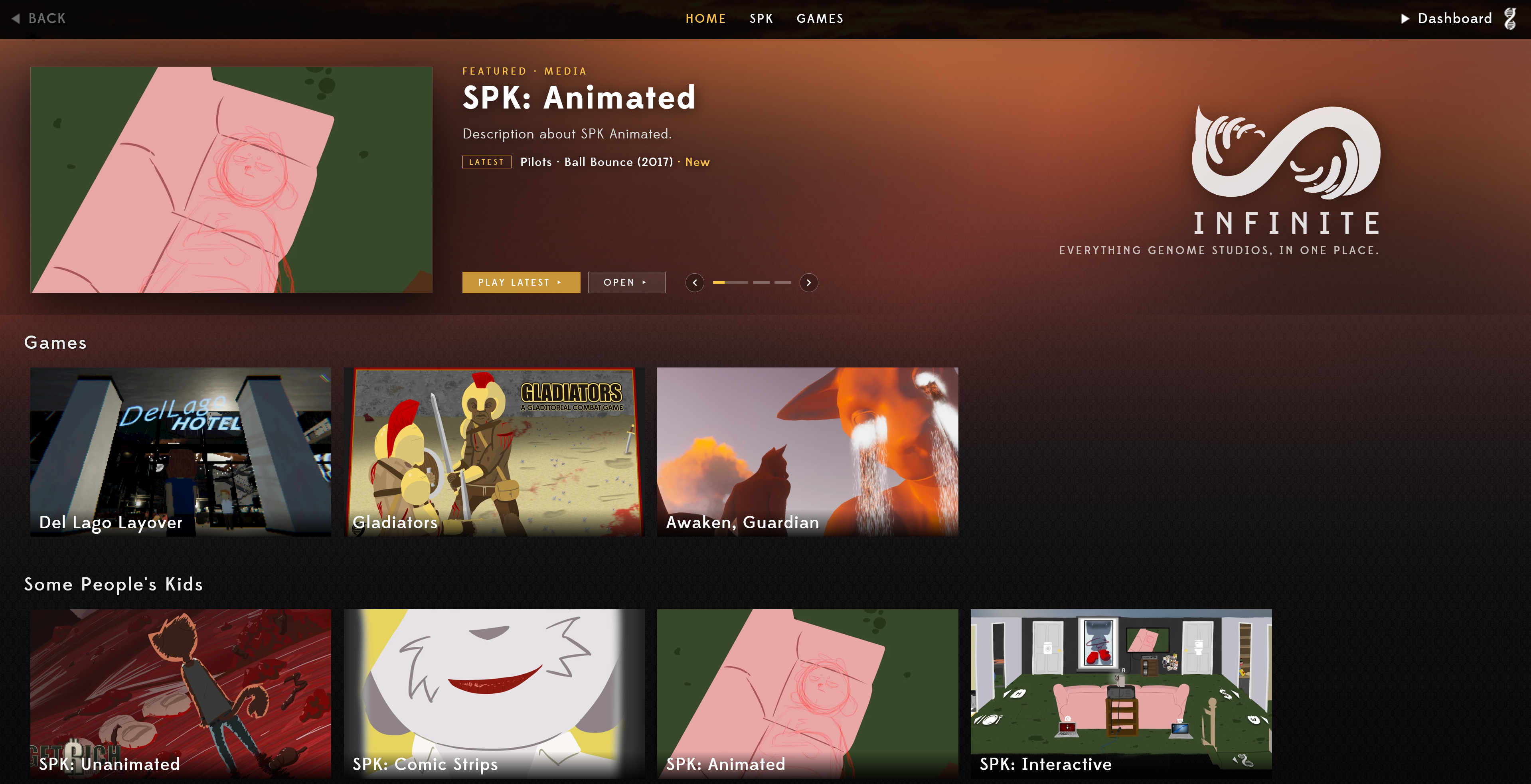
There’s plenty that can still be done, games that can be filled in. But I was finally inspired to see this actually become public-facing.
It has some really fun features. Achievements are prototyped in, and I can now add bonus popups in the media section to point to additional details about a given page.
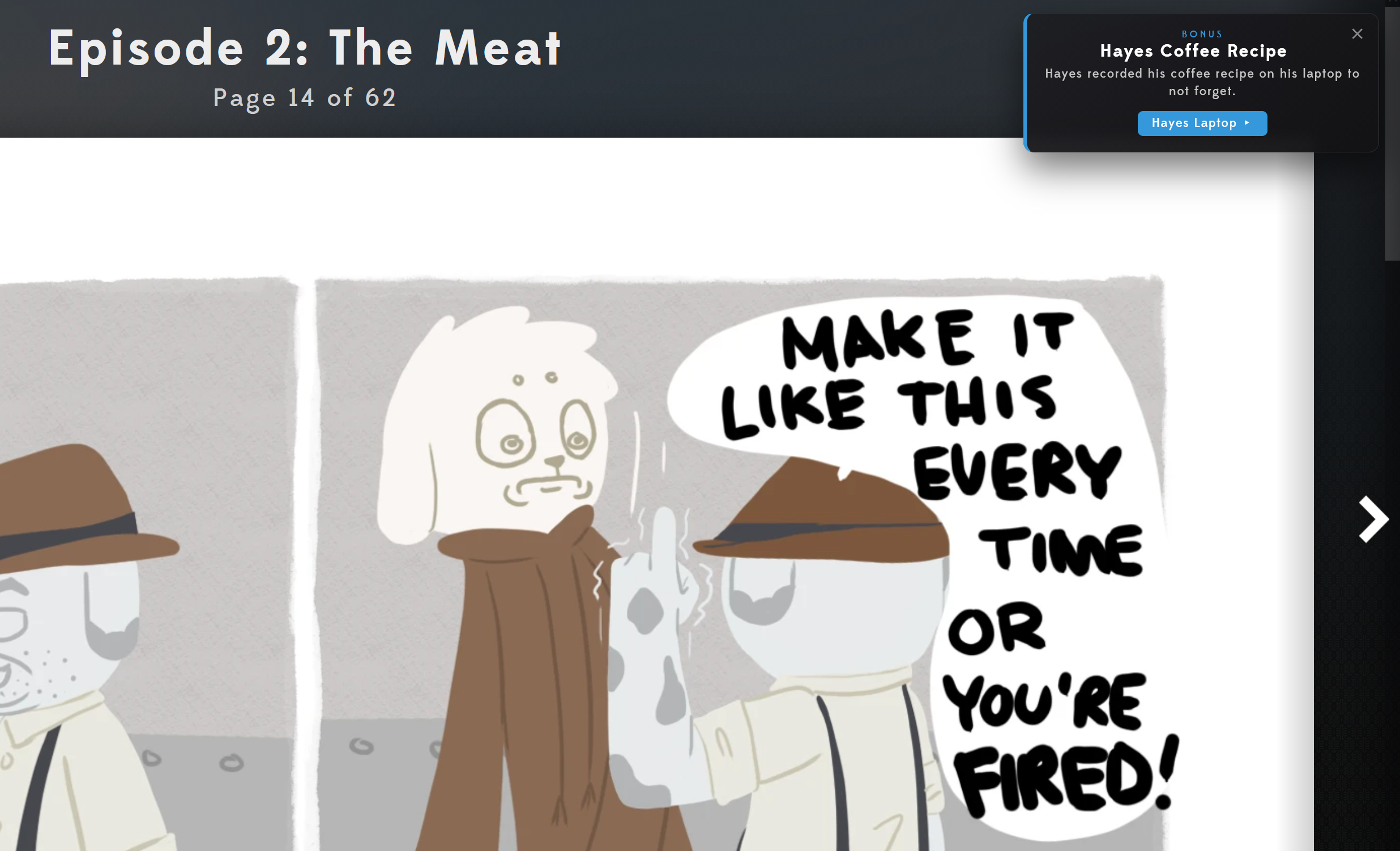
I then drove into Benchmarking the O3DE GUI!
It looked like this:
Entering this stage of the work, running benchmark cycles against the actual Editor interface awoke something in me.
I had originally thought that I was “gaming the system”, procedurally taking screen captures of the entire O3DE interface for comparison. I figured it was some messy hack to get the tooling to do that automatically…
But all of a sudden I can do the same thing with a completely different task?? How is this possible unless procedural running of the O3DE engine is completely doable, and in fact supported thoroughly within the entire system?
This was an incredible eureka moment. One of the things I’d struggled quite a lot with is having to manually benchmark things myself. Doing the motions and trying to keep them consistent across tests, logging all the benchmarking information for processing after, entering and exiting the editor over and over… It was tedious, manual, inconsistent, and consumed a LOT of time and effort.
Now I suddenly have this frame of reference, where I can actually get extensive recordings of essentially any feature I’m developing, and both compare it against native benchmarks, but also log dozens and dozens of times to actually get average metrics of everything.
This all came to fruition when working through the performance benchmarking for the Inspector interface.
“Flattening” broke into “Full GUI Perf”
If I was going to go through all this effort to improve the GUI performance through removing QtStyleSheets, I should probably just do the necessary investigation and work towards squeezing out performance as a whole.
This ended up becoming a 3-stage improvement:
– Flattening Styles
– Fixing and working out current code.
– Then, introducing entirely new performance features to push things even further.
Some of the new features are the things I love about the “smoke and mirrors” of game development and programming.
A LOT of overhead in processing a Game Entity that had 27 components was excessive graphics that, to the naked eye, are completely unneeded. Collapsed component cards and data trees, and all the component cards and graphics that run off the bottom of the inspector screen.
If you were to lazy-load those things over a couple of frames, the actual presently visible parts can appear sooner. And, ultimately, by the time a human can recognize the window updated, bring their mouse to elements, then interact or scroll through things: the interface has long been rendered in full.
This offload of work served as an immense leap forward in handling the overwhelming lurch that comes from a massive interface redraw like a 27-component entity.
A final addition: to allow for the interface to be interrupted during its load, at 40ms in, brought the responsiveness to a whole new level.
Once everything settled, I ended up with an upgrade that yielded 10 to 26 TIMES performance increase.
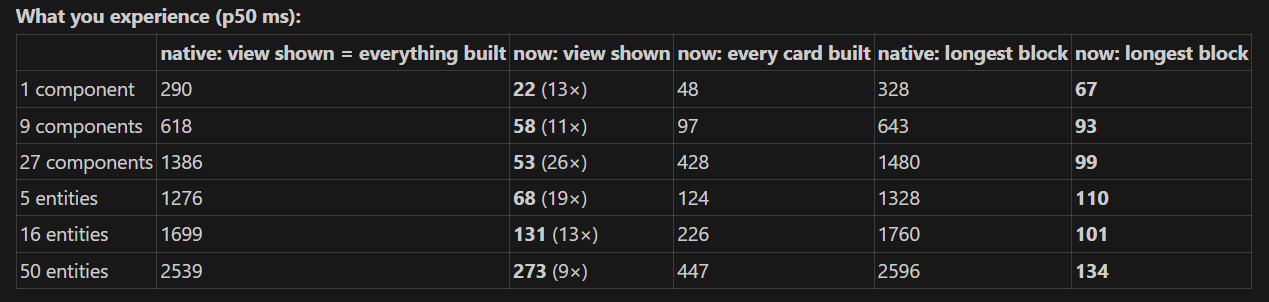
– Stalls: stall events of 250 ms or more dropped from 115 to 0 for single entities and from 136 to 0 for multi-select. The worst freeze went from 1.8 s to 171 ms (single) and from 3.1 s to 158 ms (multi).
– Outliner highlight: it now paints about 20–30 ms after the click. Natively, it waited for the whole rebuild.
– Every card built: the cards below the view build at idle, so you never wait on them. For 27 components, that takes 428 ms in total from beginning to end.
Towards the end of the month, I was finally able to tidy the work, simplify and reduce its total footprint, and make it available for user testing! Much more exciting to be feeling out a crazy responsive improvement with others over processing tedious image comparisons for a half-realized feature fix.
The PR: https://github.com/o3de/o3de/pull/20250
(This PR is for testing, like my brute-force measures I mention before, the actual submission once ready will be 3 fragments captured by each category of implementation.)
Doing actual work? Why would I do that?
In the wake of Opal release, and the many weeks I’d been stewing on what we’re going to do moving forward and how, I felt that I really should reconsider how I will be working on GS_Play. So far, it’s been a giant brute-force effort to see how much of my old tech stack I could realize in as short a time. Having to port 5 years of Unity technology in as short a time as possible definitely speaks to an urgency to yield some visible representations of the work.
However, this of course ends up with very raw proofs of MANY of the features, so many needing to actually be deployed into a game to actually test their final functionality. Alongside the fact I had to actually LEARN how to use O3DE as I was developing my tech. The earliest work of mine is arguably on some incredibly dubious ground.
With all that considered, I decided to return to GS_Core. The absolute first-most tech I had begun creating in C++ for O3DE. There were lots of systems I just had to get in, and so long as they just barely worked, it was good enough for me.
Now, I have the chance to actually review it and work out finer and deeper functionality from it as a whole.
My first target was to continue chipping at the Options settings. I left it off… well… barely functional. I ultimately buckled, as you should probably worry about the game before you worry about ultra-fine tuning of graphics settings… But, especially with the current climate of computer hardware, actually making tunable graphics settings is probably a very significant feature to get ahead of when diving into that next project.
There are options that are easily just pointed at the boilerplate of the engine. Resolution, for example… you just say: “Do Resolution.”
However, there are MANY options features that literally need to have a component attached to the thing in question, and only then can the option actually apply to anything. One of which I had delved into is “Colourblind Modes”. These apply to, not only some giant umbrella feature, but are actually tied to creating a colour palette for things like character tints in team-based games, or the warning and highlight colours in text during dialogue and instructions. You need to be able to define the colour palette you’re going to have by default, and then you need to have a changed palette that allows setting the proper colour schemes for the types of colourblindness. With that, you now have a text option proxy, a material tint colour proxy, particle colours… who knows…
So I ended up working out, with my favourite O3DE pattern, an OptionsProxy Component that uses polymorphic OptionsProxy subclasses that target specific things the options system will affect in the game systems. Add an OptionsProxy component to your text, to your mesh entity, and then add the “TextColour” proxy, or “MeshColour” proxy to properly target the element for options application!
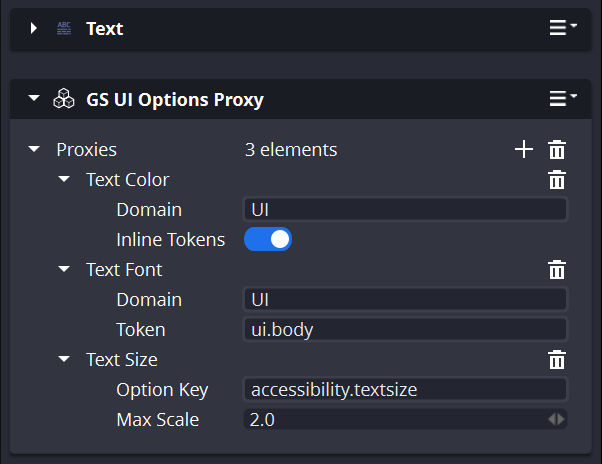
A very gainful addition that has allowed for far more granular Options feature development.
– Dyslexic Font support.
– Colour blindness
– The beginnings of epilepsy support features.
– LoD quality
– Material Quality
– Vegetation Quality
I got so far in that now, we actually have to make for GS_Play systems to add any more options features. Still rough around the edges, but we got a lot of meaningful pieces in.
Even a pleasing splash loading screen that enters the final exported game runtime.
Finally, the Alberta Separatism Referendum was at hand.
For the past year our Separatist government has been pushing for Alberta to secede from Canada, pushing every possible means to separate through, including: manipulating the conditions to make separatist Petitions easier to get approved for review; hosting a 130 million dollar referendum; Making 10 referendum questions with overloaded layers of convoluted language to confuse voters; pushing a 4 million dollar pro-separatist advertisement campaign leading into the referendum; calling it a “referendum to decide if we’re going to do a referendum to vote for secession”; coining the phrase: “A Sovereign Alberta within a United Canada”; removing electronic tabulators to prevent ‘rigging’; and increasing document requirements to make it more difficult for voters to actually vote in the referendum.
We voted to stay in Canada… Who would have thought…
It’s been a sickly stressful time, and without skipping a beat, the acting government has backpedalled on all the separatist rhetoric, claiming they never were for separatism; and are now octoupling down on divisive populist policy creation daily alongside paying into rural communities for the first time in their term, as is done every time just before an election is called.
It never stops…
Next, I returned to a Stalled Curve Primitive
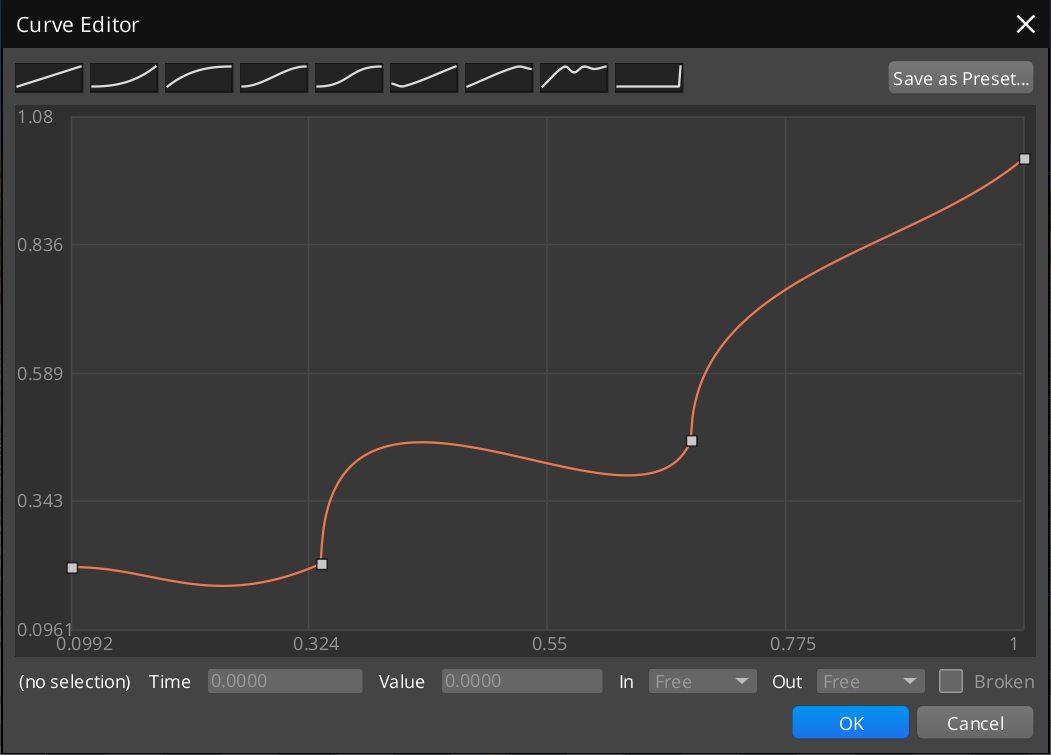
A lot of GS_Play systems need the ability to evaluate a value along a curve, a common use across gameplay needs. Jump arcs and rocket boosters, level-up stat progression scales, root motion trajectories, Particle lifecycle data… It can really span all sorts of mechanisms.
I had made one to merge into the source code some time ago, but it ended up stalling. So instead, I brought it into the GS_Core tooling. I only just now clued in to the fact that you don’t NEED to have the primitive in the source code, so as long as I register the primitive in the same way, GS_Core can have the curve and curve editor immediately!
Abandoned work laying dormant for years now looming over me, I really want to actually put my efforts to work regardless of how that has to actually turn out.
So, GS_Play has curves!
Then BioWare was shut down.
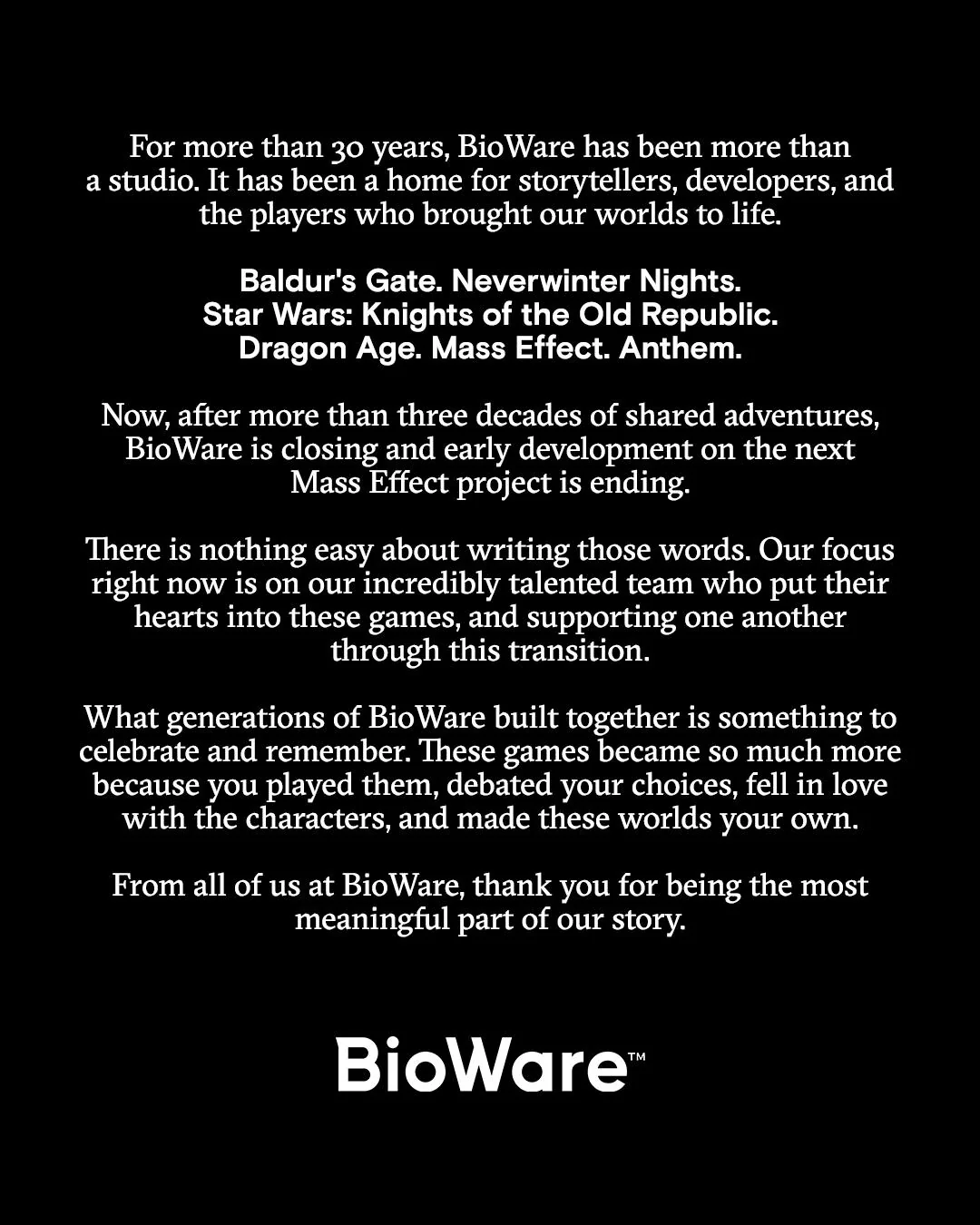
Yet another hit on the gaming and tech industry; BioWare was shut down, leaving 50~ people out of work.
While it’s now a constant pattern within the games and tech industry, this one in particular shuttered the local Edmonton community.
BioWare was a source of local pride and inspiration around these parts, serving as an institution of internationally acclaimed video game development from the very early days of videogaming as a whole.
It’s served as a destination for students and creatives aspiring to enter the industry; it’s served as a launching pad for developers to begin and establish their lifelong careers; it’s served as a beacon for people all over the world to make Edmonton their home.
It truly impacted our community, and the loss was something profound. Everyone in my circles were overcome with a din of solemn loss, remembering how BioWare impacted them in their lives.
I wrote a deeper… Eulogy… of its impact on us all if you wanted to read further.
https://www.reddit.com/r/videogames/s/agWSKGzYGY
I thought I’d share the experience, because really, the only thing that would make me feel better is having 300+ gamers discredit our feelings and dump on my personal message in favour of tearing Bioware down as an international entity.
Here’s a gem:
“I want every bad developer to fail. I want every bad game to make its studio go bankrupt.”
Stay classy, gamers.
Truthfully, there were some actual heartfelt and considered messages… like 3-5~, and I greatly appreciated them putting the time into reading and replying. I even got to share some good industry information in some conversations. I knew what I was going to get ahead of time, so the other 340 comments didn’t surprise me. The depth of the hatred was definitely something to behold, though.
A recurring theme of the month: Cleaning Up Processes
So, as I continue to flounder all month, we have been trying to clean up and formalize a lot of the work we do in Genome Studios. Again, the Opal work we had undertaken and how changing how I work affected the quality and speed of our output, had really woken me up to actually sitting down and formalizing what I do and making it a clean process that clears out the bad and catalogues the good into meaningful steps and stages.
This has been a weird process for me, as it’s forced me to shift my regular workflow into something more concrete and formal… which I am definitely neither.
We have been following a pattern now of recording concrete truths about a project’s features and definition inside the project itself, while logging progress of features and changes to the plans around the feature to our GitLab issue tickets.
This leaves the project repo more lean and only catalogues the final features and details of the project. Still allowing a record of what was done, how, and what hurdles changed the plans around it, resulting in whatever it is today.
This has involved me needing to parse through a year’s worth of logs about what GS_Play work was done, the stages within each module, the various work and audits of tooling and systems, and actually catalogue the real stuff and clear out all the incremental mess that has been bloating the project.
That shift in process has also been so sterile to me; I get frustrated when the process is going exactly as planned, and I have to stop to commit things, update logs, etc… It’s like medicine… It’s awful, but it’s good for me… haha.
I’m still really struggling to get my legs for it, but it’ll come with time and exposure.
Returning to GS_Core
The next feature I really have left completely untouched for over a year now has been GS_Save. I got quite deep into complex save handling in the Unity Awaken Guardian, and I really wanted to make sure this new saving could handle data loads like that.
In most of the ways, this was a refactor. The workflows were close to what was there, but now a lot more formalized work was put into the boilerplate system: how data was stored, how Save Identities were created, logged and validated against the rest of the system. This is because not only are you recording game progress, you’re also enabling recording enemy placement, completion status, item placement, chest placements… the status of everything. It can quickly spin out into one gigantic uncontrollable monolith of arbitrary data stored in no discernible form.
NO LONGER!
You can be so simple as to just make your ID: “Enemy1”, but you can also get into the depths of it to scope it into very granular stages procedurally: “Forest/Exterior/Camp1/Enemy233”, and then bind allll the juicy data to that scope. Gold, health, status, placement, facing, mood… The world is your organized and well-collected oyster.
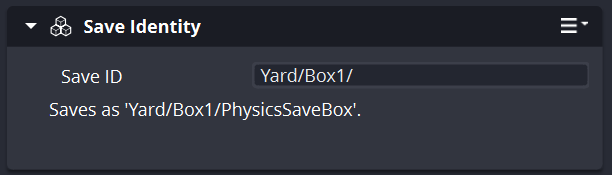
So many features I now want to see in true action within a project!
I was JUST about to enter another GS_Core step, but the month of work ended. I will have to save that for November’s review.
But I had the final Halloween weekend for my working pleasure!
And I hammered side work HARD.
Those same automated benchmarking workflows I broke into earlier in the month ended up inspiring me to implement similar ones across these otherwise massive feature developments.
I standardized my vegetation setup with a benchmarking level and benchmarking assets so that any “for-fun” vegetation work doesn’t touch my benchmarking environment. Then, got a massive benchmarking pass set up to start making data-sense out of this behemoth of a feature.
First, I got some early benchmarks that showed a 12 FPS benchmarking run at fullscreen 4k resolution, something I had only started recording now. What I didn’t realize at the time was that the benchmark also capped the GPU performance at 1500mhz. This was in order to make as close to consistent outcomes as possible.
After some immediate implementations of ongoing work, that number jumped up to 30fps, then 45fps.
Because I didn’t know about the performance cap, I thought we were leagues away from having anything capable of performing at all. However, when I ran the editor myself, the performance was a steady 60fps, and only started lowering to 45-50 when I was panning through my for-fun environment and scrubbing the camera lots.
33 million vegetation item placements, with 1.5 million concurrent veg meshes being rendered over like a 200m squared environment.
There’s still lots to go, but extremely smaller environments and actually curated levels to break up the sheer amount being rendered would make this fully capable in a ton of projects already.
I then dove into a much-needed pass: Most vegetation systems will take a tree or grass or whatever as-is, if you will. That means it comes with the mesh, the materials, whatever else, and it just consolidates it all into the vegetation rendering pipeline. Up to this point, I had to attach the mesh, then manually include the individual textures, with only colour and bump maps available. Not viable at all for game production.
This was not a simple process and required immense iteration. It still needs testing, but I think I got well into it. It also allowed us to make a custom material type to set up the most ideal conditions for the vegetation shader/rendering, including Subsurface Scattering and other juicy additions!
I got some fun screenshots of the testing passes as well!
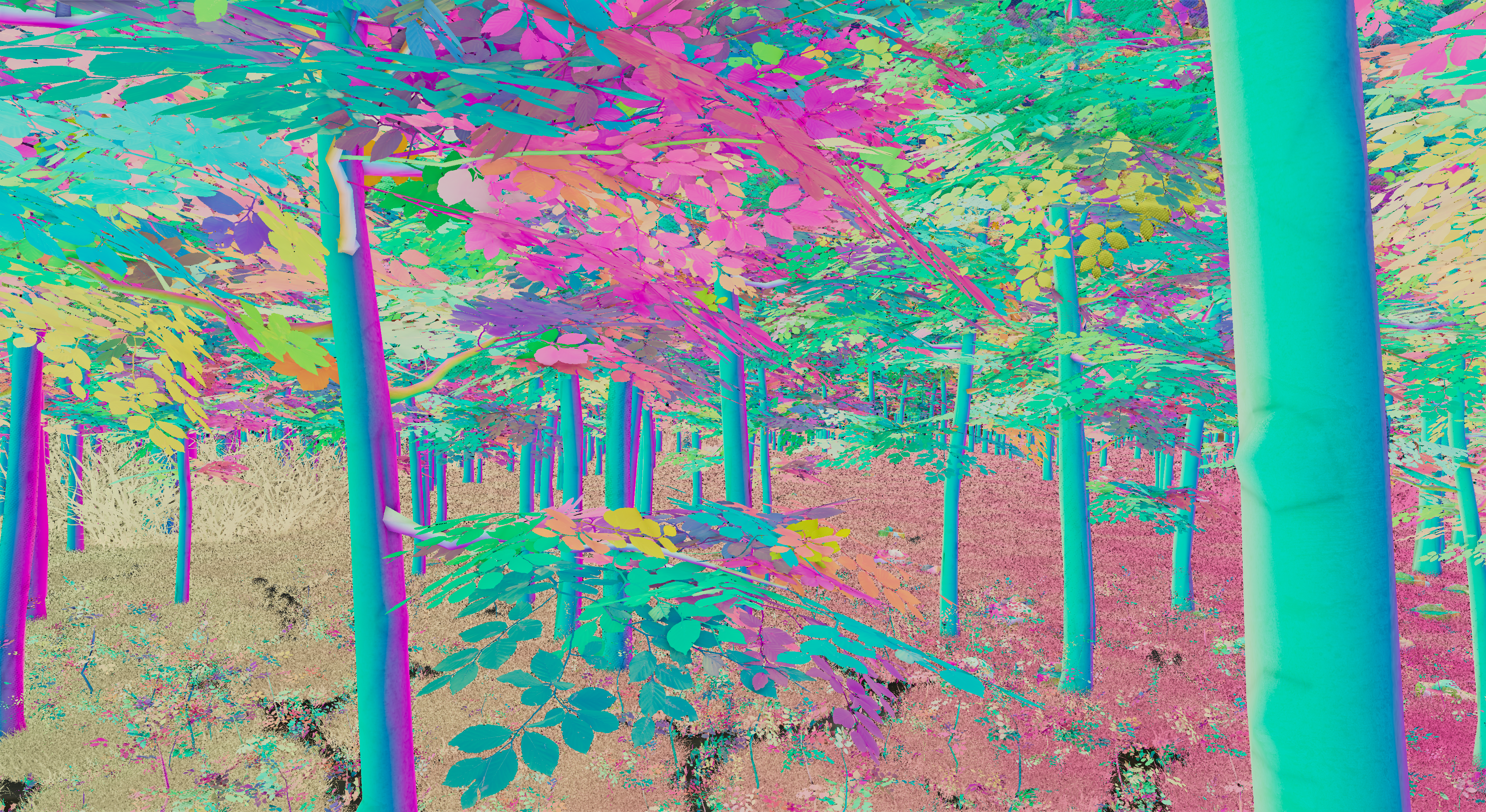
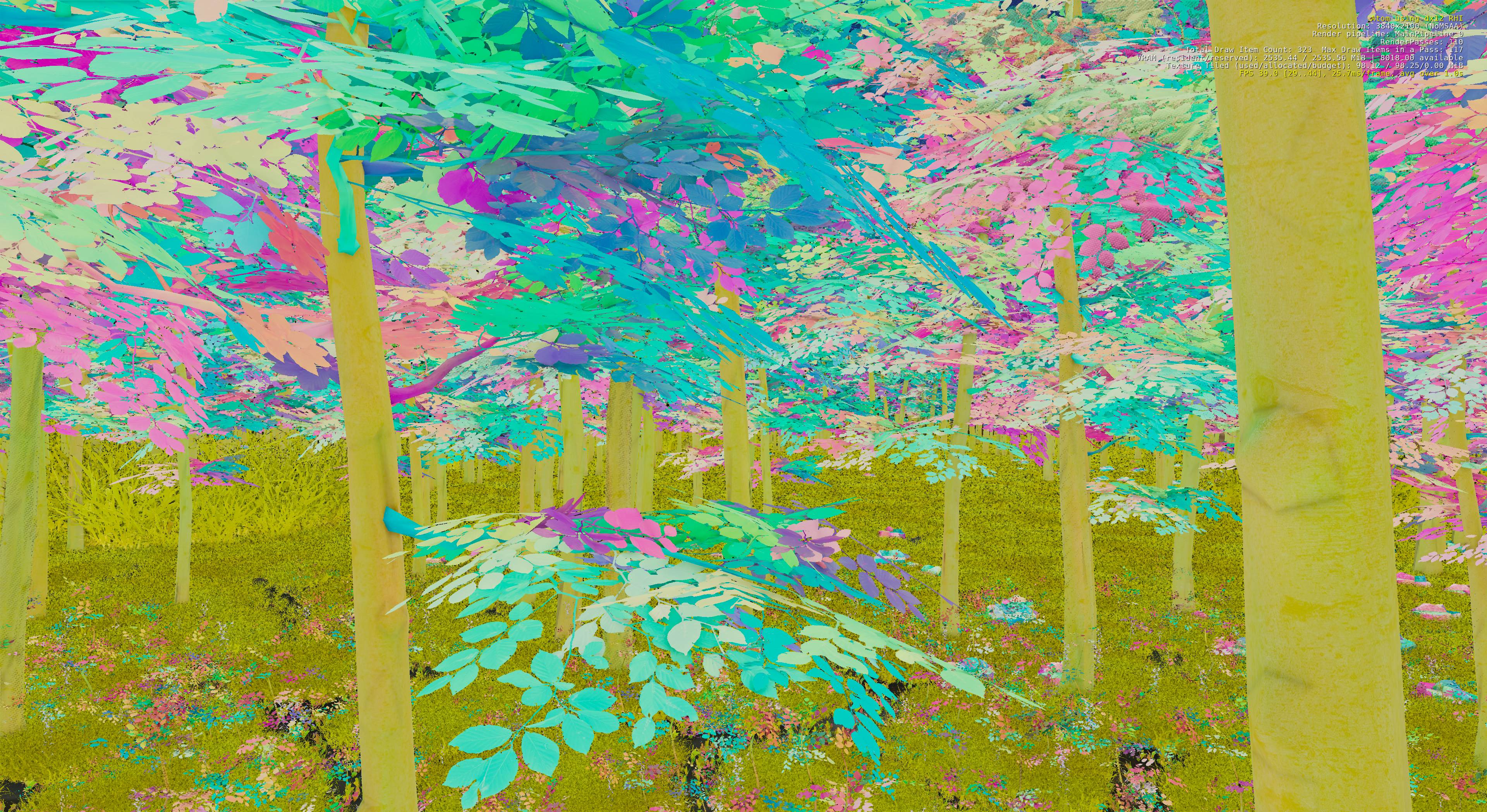
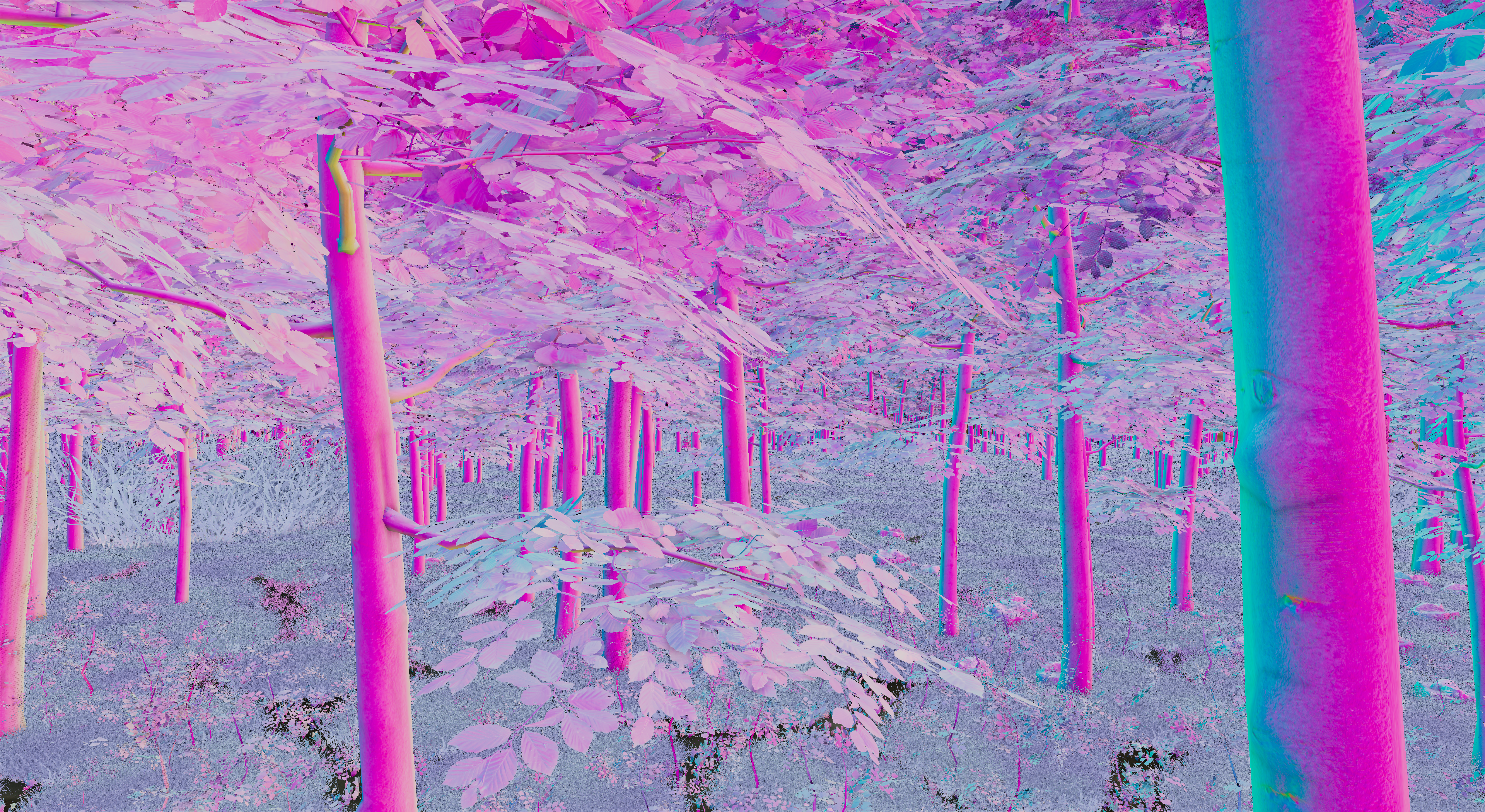
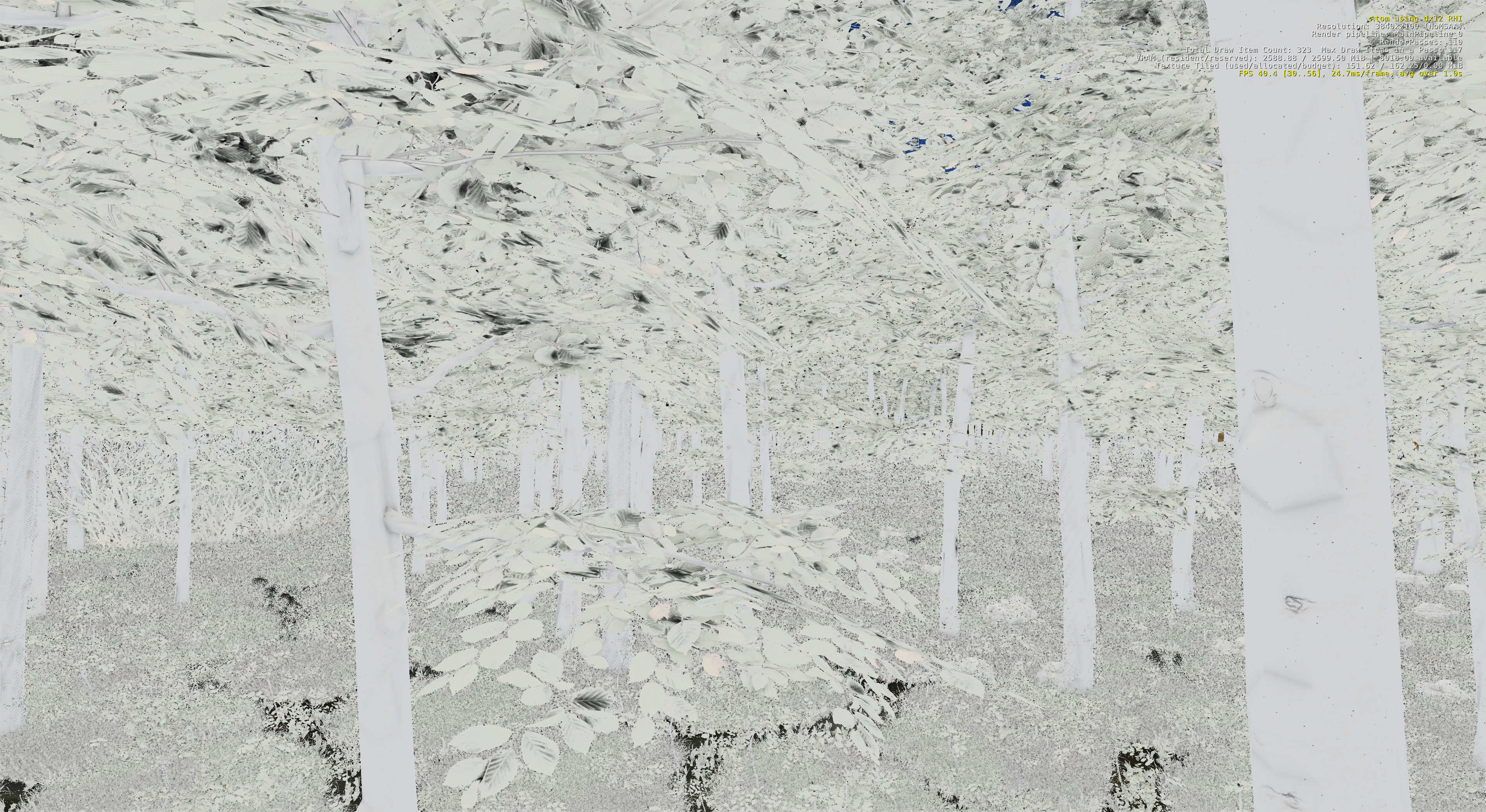
This eventually resulted in a much richer-looking environment, the tree cover holding a different kind of illumination instead of just hard black undersides. I’d say it’s a great start down this avenue of vegetation work… the ultimate goal is to make extremely gorgeous and complex natural environments.
Circling back around to the ongoing Industry Pressures…
I’ve been incredibly stressed out. It’s been clear for a long time that we’re in a tense and grim industry and political climate. I’ve already spoken a lot with students and my colleagues about how us “new business owners with actual industry experience and a body of work to point to” HAVE to be the ones to redefine the way this industry’s future will look.
I’ve been wholeheartedly willing and trying to chip away at that and sincerely rise with Genome Studios into a competent and performing studio; no need for sympathy support, or half-hearted “it looks so good…” types of support. I have tried to capture the Professional-over-Trust-Me-Bro tone in all my work and efforts since then.
However, the urgencies and pressure just keep escalating, just keep tightening the screws, and it’s becoming a lot less… hopeful…
I have been unable to truly grasp at a conclusion as of yet, but what has become clear to me is that I need to do the work that gets me into productions at this scale, completely untouched by the ideas of funding, investment, growth, sales… Just solo-dev, no-hope-needed, no-help-needed projects.
Which leads to my second weekend project
Transform 2. https://github.com/o3de/o3de/issues/19512
This was one of my first reports about the functionality of O3DE in the community server, one of the first things I wanted to propose changing. Long time later, I ended up investigating how the math would work and how it could be implemented, posting the RFC (Request for Comment) linked above.
I got such tremendous pushback, reducing the needs of my projects and the hundreds of others that also sought to use this very functionality when entering O3DE, to: not understanding it and that we’re wrong to want it out of O3DE. Enough that I put it to rest.
Well… If I wanted to dive back into SPK games… into We Don’t Go Into The Forest… into Del Lago Layover…
I just need Transform 2, regardless of what people think about it. ¯\_(ツ)_/¯
So, much like the Curve Editor, I figured now’s the time to unearth the target and see if I could put my hunches into play.
O3DE has a very interesting layer of handling Editor tools and Gameplay tools. When you need uniquely editor and testing-time tooling, you end up being forced to create an “EditorComponent”. For the most part, when it relates to adding editor functionality to a gameplay component, it’s a wrapper that describes: “I am this component in gameplay, but I also have this editor-bound functionality on top of it.”
When the game gets wrapped up and run in gameplay, the Editor version gets cleared away, and in its place the actual operable component takes over, with all the settings and configuration done in the editor.
This is further reinforced by a less-common component pattern I’ve encountered in the engine, where there are 3 pieces to a component:
– A “component”.
– A config class.
– And a driver class, if you will.
What happens is that the component is the thing you bugger around with in the editor, setting settings, choosing functionality, whatever. What happens in the underlying system is that the majority of those configurations actually get put inside the “config” class. Then, at runtime, the driver is created, the config is given to the driver, and the component only serves as a thin surface for events and things to relay through.
That dissection is key to this Transform 2.
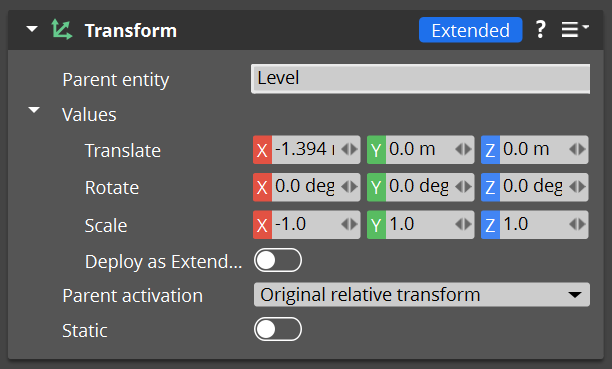
By making the EDITOR Transform actually serve as a junction between the original Transform (T1) and the new Transform 2 (T2), you can relay the final serialized component to whatever is the valid final target.
This means that if you follow the regular constraints of the transform: Uniform scale (1,1,1), no negative values. You can route the default Transform in and utilize it to its full performant depth. The memory footprint remains small enough to fit in its original memory block; the math used to drive transformation and rotation is the simplified and performant math implemented.
Completely unchanged, always the default.
But then, you can also deviate from that agreement; you can put negative scales, non-uniform scales, and that opts you into the “Extended” form of Transforms (T2).
This transform now subscribes to the poorer-performing specs of the transform as required by non-uniform and inverse scaling. To reach the memory footprint in T1, the scale requires to be uniform because it’s literally 1 number for all 3 axes, 1.0f. For T2, you need 3 separate axes, which breach the bounds of the memory footprint.
Likewise, the math to flip an axis, by inverting the spatial data to actually drive that behaviour, you now need to use Matrices specific to the various combinations of positive, negative, and non-uniform values. Less performant.
BUT! These are fully opt-in systems, meaning that even in a poorly optimized indie game, if you’re just dragging and dropping things, and scaling them uniformly, and doing whatever, the performance is always there. Once you start stretching and squashing models, and flipping the player and other characters, the performance starts to give; however, you’re never forcing only one or the other. Your performance only dips insofar as you’re deploying T2’s deliberately.
Something that, even sloppily, making an indie game with a bunch of smooshed assets really does not impact the final experience, unless you’re pushing for thousands or millions of entities. A deliberate choice of a, likely, far bigger team with a real budget to fuss over those specific T1 bounds and performance necessities.
And now I have the first proofs of flipped Transform 2s!
Early testing is showing that T1’s remain identical in memory footprint; T2’s system load is mostly in the editor component, far less in the actual runtime version; components updated to support T2 math are largely unchanged in their own cost… It’s looking possible!
I can start to imagine myself making the paper performers, and working towards small productions that rely on it to halve or even quarter my art costs.
I may not be feeling inspired by this overwhelming pressure on all fronts, but I will hold no quarter and keep grilling at what I need to do to make my opportunities grow.
And that wraps this very… mmm… October!
I am hoping to get a bit more steady on my feet in the coming months. Even with all the conditions that chip away at my resilience… I’m so perpetually cold…
I am aiming to press ever onward into Genome Studios work regardless.
And let’s see what we can come up with in November!
Till then!
Btw, you can now rep Genome Studios on Discord with our brand new shiny server tag! Every bit counts!

P.S. Did you know you can keep up with our Month in Reviews by signing up for our newsletter? Just check below!
Want to keep track of all Genome Studios news?
Join our newsletter!